
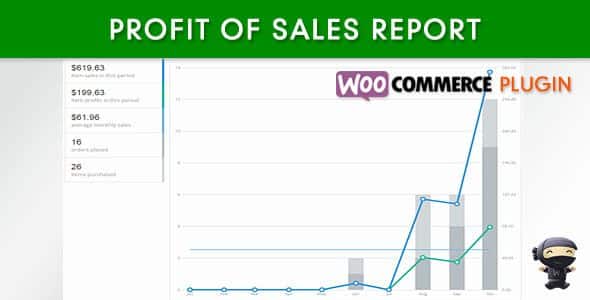
WooCommerce Profit of Sales Report
Version 1.3.2
SKU: 6590
One-time payment · lifetime access to this file
- Instant download after purchase
- 100% original, unmodified GPL file
- Free lifetime updates on request
- Secure Razorpay / PayPal checkout
Product details
- Version on file
- 1.3.2
- Type
- Plugin
- Released
- May 14, 2018
About WooCommerce Profit of Sales Report 1.3.2
WooCommerce Profit of Sales Report adds profit reporting to WooCommerce. You enter a cost of goods for each product, and the plugin shows the profit on each order and in reports by date, product and category.
The reports are cached and the cache refreshes daily, so a test order may not show up straight away. The listing mentions a feature to clear the cache. The file on record is version 1.3.2 from May 2018, so test it with your current WordPress and WooCommerce on a staging site first.
Requirements
- WooCommerce
Key features
- Cost of goods per product
- Enter a cost for each product, and quick-edit it from the admin products list.
- Profit on orders
- Shows profit on the admin order details page, where the cost can also be edited.
- Profit reports
- Reports by date, by product and by category.
- Report periods
- Current year, last month, this month, last 7 days or custom dates.
- CSV export
- Export the reports to CSV.
- Cached reports
- Reports use a cache refreshed daily, with a feature to clear it.
Is it right for you?
A good fit for
- WooCommerce owners who want to see margin, not just revenue
- Shops that review profit by product or category
Look elsewhere if
- Stores that need real-time reports, because the cache refreshes daily
- Shops that need full accounting, since the listing covers cost-of-goods profit only
How to install WooCommerce Profit of Sales Report 1.3.2
- 1
Download the file
Open My Account → Downloads and download the product. If the archive contains several zips (documentation, child theme, licensing files), you need the one named after the product.
- 2
Upload it to WordPress
In your dashboard go to Plugins → Add New Plugin → Upload Plugin and choose the zip.
- 3
Install and activate
Click Install Now, then Activate. If an older or free copy is already installed, WordPress offers to replace it with the uploaded version.
Setup: using WooCommerce Profit of Sales Report 1.3.2
- Test on staging. Install on a staging copy since the file dates from 2018.
- Enter costs of goods. Add a cost to each product, or use quick edit on the products list.
- Check an order. Open an order and confirm the profit shows on the order details page.
- Open the reports. View profit by date, product and category, and pick a period.
- Export to CSV. Download a report to check the figures against your own records.
Common problems and fixes
A new order doesn't appear in the profit report
- Why it happens
- The reports use a cache that refreshes daily.
- How to fix it
- Use the plugin's clear-cache feature, or wait for the daily refresh.
Profit looks too high for some products
- Why it happens
- No cost of goods was entered, so the cost counts as zero.
- How to fix it
- Add the cost to each product and recheck the report.
“The link you followed has expired.” when uploading
- Why it happens
- The zip is larger than your server's PHP upload limit (upload_max_filesize / post_max_size).
- How to fix it
- Raise the upload limit in your hosting control panel, or unzip the file and upload the folder to wp-content/plugins with your host's file manager or SFTP.
“The package could not be installed. No valid plugins were found.”
- Why it happens
- The uploaded zip is a bundle (or a theme), not the plugin itself.
- How to fix it
- Unzip the download once and upload the inner zip named after the plugin.
“Plugin could not be activated because it triggered a fatal error.”
- Why it happens
- Usually a PHP version older than the plugin needs, or a second copy of the same plugin (for example the free version) still active.
- How to fix it
- Check your PHP version under Tools → Site Health → Info, deactivate any other copy of the plugin, and enable WP_DEBUG_LOG to see the exact error.
Licence or “updates unavailable” notices
- Why it happens
- The developer's licence key isn't included. Features that call the developer's servers (template libraries, cloud APIs, automatic updates) need it.
- How to fix it
- Everything that runs locally works without it. For a newer file, use Request an update from your account.
Alternatives to WooCommerce Profit of Sales Report 1.3.2
| Product | Choose it if | Price |
|---|---|---|
| WooCommerce Sales Report Email 1.1.26 | you want sales reports delivered by email rather than a profit view. | $3.99 |
Frequently asked questions
Does it track cost of goods?
Yes. You enter a cost per product, and quick-edit it on the products list.
Which reports does it include?
Profit by date, by product and by category, over several set periods or custom dates.
Why is my latest order missing?
The reports are cached and refresh daily. The listing mentions a clear-cache feature.
Can I export the data?
Yes, reports export to CSV.
Categories: woocommerce plugin, Plugins
Related products
 −93%
−93%YITH WooCommerce Quick Checkout for Digital Goods Premium 1.26.0
 −93%
−93%YITH WooCommerce Order Tracking Premium 2.14.0
 −93%
−93%YITH PayPal Payouts for WooCommerce 1.0.23
 −92%
−92%XPromoter – Top Bar Switcher Responsive WordPress Plugin 1.3.3
−92%WPMU DEV Ning To BuddyPress WordPress Plugin 1.2.2
 −92%
−92%WPForms Form Abandonment Addon 1.9.0
 −93%
−93%WpDiscuz – Media Uploader 7.0.10
 −85%
−85%