
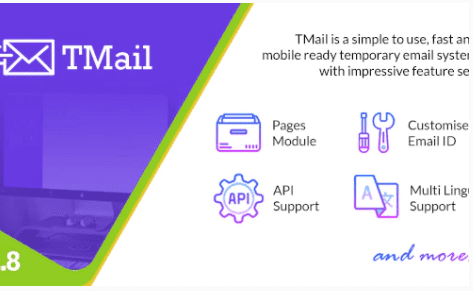
TMail – Multi Domain Temporary Email System
Version 6.8
SKU: 382
One-time payment · lifetime access to this file
- Instant download after purchase
- 100% original, unmodified GPL file
- Free lifetime updates on request
- Secure Razorpay / PayPal checkout
Product details
- Version on file
- 6.8
- Type
- plugin
- Released
- 05-12-2021
- File size
- 13.89 MB
- License
- GPL
About TMail – Multi Domain Temporary Email System 6.8
TMail is a script for running your own temporary email service: a website where visitors get a disposable inbox address, read the messages that arrive, and move on. It supports multiple domains, so visitors can pick from several addresses, and it is the kind of site people use to avoid giving a real email address to a service they don't trust.
It is not a WordPress plugin, despite the older description on this page. It is a standalone PHP application that you install on your own server, with its own database and admin panel. It also needs a way to receive mail for your domains, which usually means a mail server or mailbox that the script can read from, so setup involves DNS and mail configuration as well as uploading files.
Disposable email sites attract spam and sometimes abuse, so plan for moderation, blocking and keeping your mail servers' reputation intact. The file on record dates from December 2021, so check the PHP versions it supports before installing.
Requirements
- A web server with PHP and a MySQL-style database
- One or more domains, and a mailbox or mail server to receive mail
Key features
- Temporary inboxes
- Visitors get a disposable address and read incoming messages in the browser.
- Multiple domains
- Offer several domains, so visitors can choose which address to use.
- Self-hosted
- Runs on your own server, with your own domains and data.
- Admin panel
- Manage the site and its settings from an admin area.
- Standalone application
- Has its own database and doesn't need WordPress.
Is it right for you?
A good fit for
- Entrepreneurs who want to launch a temporary email website
- Developers comfortable with PHP, DNS and mail server setup
- Site owners who want to offer disposable addresses on their own domains
Look elsewhere if
- Anyone looking for a WordPress plugin: this installs on a server, not under Plugins
- Beginners who haven't set up domains, DNS and mail before, since this needs all three
- Anyone not prepared to handle spam and abuse on a public service
How to install TMail – Multi Domain Temporary Email System 6.8
Notes for this product
- This is not installed from the WordPress dashboard. You normally upload the files to your web server, create a database and run the application's installer. Follow the documentation in the download for the exact steps, PHP version and mail setup.
Setup: using TMail – Multi Domain Temporary Email System 6.8
- Prepare your domains and mail. Point your domains' mail records at the server or mailbox that will receive messages, as the documentation describes.
- Create a database. Create an empty database and a user for it in your hosting control panel.
- Upload the application. Upload the files to your server and set the web root as the documentation says.
- Run the installer. Open the site in a browser, enter the database details and create your admin account.
- Connect the mailbox. Enter the mail connection details so the script can fetch incoming messages.
- Send a test message. Create a temporary address, email it from another account and confirm the message appears.
Common problems and fixes
Messages never arrive in the temporary inbox
- Why it happens
- The domain's mail records don't point to your server, or the script can't connect to the mailbox.
- How to fix it
- Check the DNS mail records for each domain, and verify the mailbox connection details in the admin settings.
Old messages pile up and the mailbox fills
- Why it happens
- The scheduled clean-up job that removes expired inboxes isn't running.
- How to fix it
- Set up the scheduled task the documentation describes, usually a cron job on your server, and confirm it runs.
A blank page or a server error after uploading
- Why it happens
- A wrong web root, file permissions, or a missing PHP extension.
- How to fix it
- Check your server's error log, enable the PHP extensions in the documentation, and make the folders the application writes to writable.
Frequently asked questions
Is TMail a WordPress plugin?
No. It is a standalone PHP application installed on your own server. The older description for this product calls it a WordPress plugin, which is a mistake.
What do I need besides the script?
One or more domains, a server running PHP and a database, and a mailbox or mail server to receive messages for those domains.
Can I offer several domains?
Yes. TMail supports multiple domains, so visitors can choose among them.
Do I need to worry about spam and abuse?
Yes. Public disposable email services attract both, so plan for blocking, rate limits and keeping your mail servers' reputation clean.
Is the file up to date?
It dates from December 2021, so check which PHP versions it supports before installing it on a current server.
Categories: Business, Plugins, Email marketing, Domain, email
Related products
 −95%
−95%Zenex – eCommerce WooCommerce Theme
 −93%
−93%YITH WooCommerce Quick Checkout for Digital Goods Premium 1.26.0
 −93%
−93%YITH WooCommerce Order Tracking Premium 2.14.0
 −93%
−93%YITH PayPal Payouts for WooCommerce 1.0.23
 −92%
−92%XPromoter – Top Bar Switcher Responsive WordPress Plugin 1.3.3
−92%WPMU DEV Ning To BuddyPress WordPress Plugin 1.2.2
 −92%
−92%WPForms Form Abandonment Addon 1.9.0
 −93%
−93%