
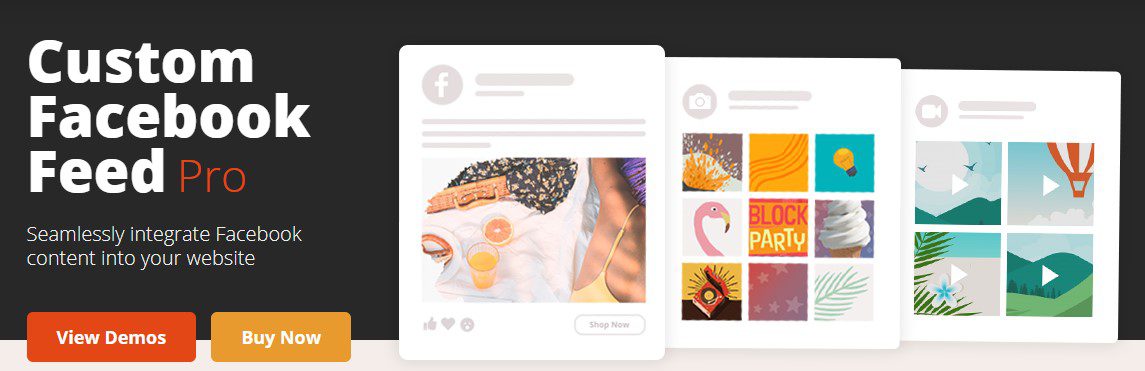
Custom Facebook Feed Pro (By Smash Balloon)
Version 4.2.2
SKU: 567
One-time payment · lifetime access to this file
- Instant download after purchase
- 100% original, unmodified GPL file
- Free lifetime updates on request
- Secure Razorpay / PayPal checkout
Product details
- Version on file
- 4.2.2
- Type
- plugin
- Released
- 10-02-2022
- File size
- 2.26 MB
- License
- GPL
About Custom Facebook Feed Pro (By Smash Balloon) 4.2.2
Custom Facebook Feed Pro is Smash Balloon's premium plugin for putting Facebook content on a WordPress site. You connect your Facebook account, choose what to show, and place the feed on a page with a shortcode, block or widget. The feed picks up your theme's fonts and spacing, so it reads as part of the page rather than a boxed-in Facebook widget.
The Pro version covers more than a page's latest posts. It can build feeds from photos, videos, albums and events as well as the page timeline, offers several layouts, opens media in a lightbox on your own page, and lets you filter posts by word so you control what appears. Posts are stored on your site and refreshed on a schedule, so visitors are not waiting on Facebook for every page view.
Check the connection before you rely on it. The file on record dates from early 2022, and Meta has changed its API rules more than once since then. Feeds from groups, or from pages you don't manage yourself, are the most likely to be affected. A feed for a page you run is the most dependable setup, and it is worth testing on a draft page first.
Key features
- Page timeline feed
- Show a page's posts with their text, images, links and video, laid out to match your theme.
- More than one feed type
- Besides the timeline, the plugin offers photo, video, album and event feeds. Which types are included depends on the version and any extensions.
- Layout options
- Choose how posts are arranged, set how many show at once, and let visitors load older posts with a button.
- Lightbox for media
- Photos and videos open on your page instead of sending visitors to Facebook.
- Post filtering
- Include or hide posts by word or phrase, so off-topic or unwanted posts stay off the site.
- Appearance controls
- Choose which parts of a post appear, such as author, date, text, shared links and counts, and adjust colours and fonts.
- Cached feeds
- Posts are stored on your server and refreshed on a schedule you set, which keeps pages quick.
- Settings per shortcode
- Add options to a feed's shortcode so different pages can show different pages, feed types or layouts.
Is it right for you?
A good fit for
- Businesses and organisations with an active Facebook Page who want its posts mirrored on their site
- Venues, clubs and organisers who publish events on Facebook and want them shown on their own pages
- Site owners who want social updates to appear without copying and pasting each post
Look elsewhere if
- Sites that need a feed from a page they don't manage, or from a group: Facebook limits what plugins can read there
- Sites that need a feed guaranteed to keep updating without testing the connection first
- Sites that only want to show one post, where Facebook's own embed code is simpler
How to install Custom Facebook Feed Pro (By Smash Balloon) 4.2.2
- 1
Download the file
Open My Account → Downloads and download the product. If the archive contains several zips (documentation, child theme, licensing files), you need the one named after the product.
- 2
Upload it to WordPress
In your dashboard go to Plugins → Add New Plugin → Upload Plugin and choose the zip.
- 3
Install and activate
Click Install Now, then Activate. If an older or free copy is already installed, WordPress offers to replace it with the uploaded version.
Notes for this product
- If the free Custom Facebook Feed plugin is installed, deactivate it before activating Pro so the two copies don't conflict.
- Smash Balloon also sells extensions for this plugin as separate files. Check which feed types and layouts this file includes before you plan a design around them.
Setup: using Custom Facebook Feed Pro (By Smash Balloon) 4.2.2
- Open the plugin settings. After activating, go to Facebook Feed in your WordPress dashboard menu.
- Connect your Facebook account. Use the connect button, sign in with Facebook and choose the page you want to show. You need to be an admin of the page for the most reliable connection.
- Choose the feed type. Pick the timeline, photos, videos, albums or events, depending on what the page publishes.
- Set the layout and number of posts. Choose the arrangement, how many posts show at first, and whether a load more button appears.
- Choose what each post shows. Show or hide the author, date, text, links and counts, and match the colours and fonts to your theme.
- Place the feed. Add the [custom-facebook-feed] shortcode to a page, post or text widget, and add options to the shortcode when one page needs a different feed.
Common problems and fixes
The feed shows an error or no posts
- Why it happens
- The connection to Facebook has expired or been revoked, you're not an admin of the page, or this version predates a change in Facebook's API rules.
- How to fix it
- Reconnect from the plugin settings while signed in as a page admin. If the feed is still empty, use Request an update from your account for a newer file.
New posts don't appear on the page
- Why it happens
- The plugin's own cache, a page-cache plugin or a CDN is still serving the older feed.
- How to fix it
- Clear the plugin's feed cache from its settings, purge your page cache and CDN, and shorten the refresh interval if posts need to show sooner.
Photos are missing or the layout looks broken
- Why it happens
- A lazy-loading or minify setting in an optimisation plugin is changing the feed's images or scripts, or Facebook's image links have expired.
- How to fix it
- Exclude the feed's scripts and images from lazy loading, combining and minifying, then clear all caches and reload the page.
“The link you followed has expired.” when uploading
- Why it happens
- The zip is larger than your server's PHP upload limit (upload_max_filesize / post_max_size).
- How to fix it
- Raise the upload limit in your hosting control panel, or unzip the file and upload the folder to wp-content/plugins with your host's file manager or SFTP.
“The package could not be installed. No valid plugins were found.”
- Why it happens
- The uploaded zip is a bundle (or a theme), not the plugin itself.
- How to fix it
- Unzip the download once and upload the inner zip named after the plugin.
“Plugin could not be activated because it triggered a fatal error.”
- Why it happens
- Usually a PHP version older than the plugin needs, or a second copy of the same plugin (for example the free version) still active.
- How to fix it
- Check your PHP version under Tools → Site Health → Info, deactivate any other copy of the plugin, and enable WP_DEBUG_LOG to see the exact error.
Licence or “updates unavailable” notices
- Why it happens
- The developer's licence key isn't included. Features that call the developer's servers (template libraries, cloud APIs, automatic updates) need it.
- How to fix it
- Everything that runs locally works without it. For a newer file, use Request an update from your account.
Alternatives to Custom Facebook Feed Pro (By Smash Balloon) 4.2.2
| Product | Choose it if | Price |
|---|---|---|
| Instagram Feed Pro By Smash Balloon 5.12.57 | your content lives on Instagram rather than Facebook. It is the same developer's feed plugin, with a similar setup. | $4.25 |
| Smash Balloon Custom Twitter Feeds Pro (By Smash Balloon) 1.14.1 | you want to show posts from X (Twitter) instead. Check its page first, as X's API changes affect how it connects. | $4.25 |
Frequently asked questions
Can I show a feed from a Facebook group?
It depends on Facebook's current API rules, which have tightened over the years. Group feeds are one of the least dependable options, so test one on a draft page before you plan around it.
Do I need to be an admin of the page?
For the most reliable connection, yes. Showing a feed for a page you don't manage is more restricted than showing your own.
Can I show only photos or only videos?
Yes, the plugin has separate feed types for photos, videos and albums, so you can build a feed of just one kind of content. Check which types this file includes.
Will a Facebook feed slow my site down?
Posts are cached on your server and refreshed on a schedule, so visitors aren't waiting on Facebook. Keep the number of posts per feed modest to limit image weight.
Can I hide certain posts?
Yes. You can filter by words or phrases so matching posts are included or left out of the feed.
Categories: Wordpress Plugins, Plugins, Wordpress
Related products
 −93%
−93%Yottis | Personal Creative Portfolio WordPress Theme + Store 1.0
 −93%
−93%YITH WooCommerce Quick Checkout for Digital Goods Premium 1.26.0
 −93%
−93%YITH WooCommerce Order Tracking Premium 2.14.0
 −93%
−93%YITH PayPal Payouts for WooCommerce 1.0.23
 −93%
−93%Yankee – Insurance & Consulting WordPress Theme 1.3
 −92%
−92%XPromoter – Top Bar Switcher Responsive WordPress Plugin 1.3.3
−92%WPMU DEV Ning To BuddyPress WordPress Plugin 1.2.2
 −93%
−93%