
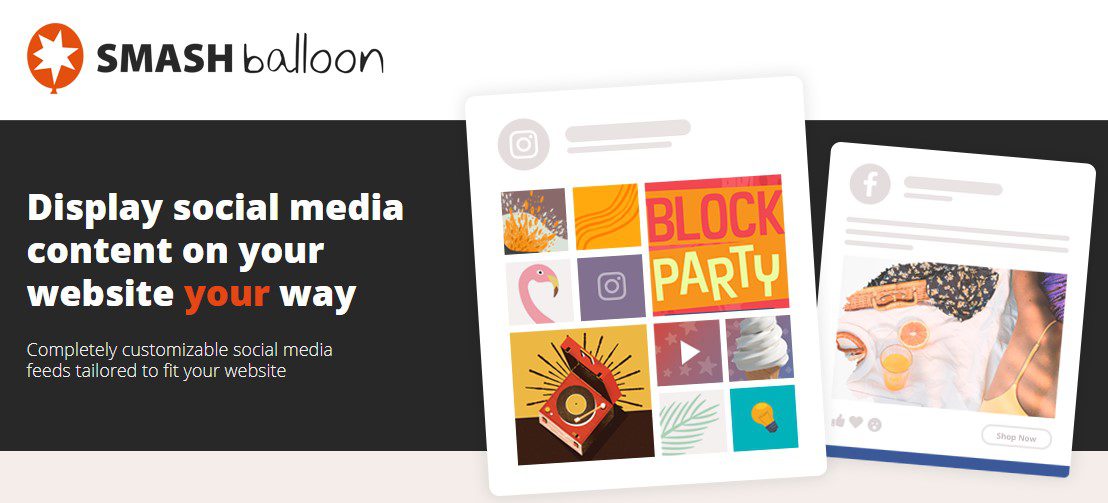
Instagram Feed Pro By Smash Balloon
Version 5.12.57
SKU: 1163
One-time payment · lifetime access to this file
- Instant download after purchase
- 100% original, unmodified GPL file
- Free lifetime updates on request
- Secure Razorpay / PayPal checkout
Product details
- Version on file
- 5.12.57
- Type
- plugin
- Released
- 24-11-2021
- File size
- 2.04 MB
- License
- GPL
About Instagram Feed Pro By Smash Balloon 5.12.57
Instagram Feed Pro is Smash Balloon's premium plugin for displaying Instagram content on a WordPress site. You connect an Instagram account, build a feed, and place it on any page with a shortcode, block or widget. Feeds pick up your theme's styling, so they look like part of the site rather than an embedded frame.
The Pro version goes beyond showing your own latest posts. It can build feeds from hashtags and from posts your account is tagged in, offers carousel, masonry and highlight layouts alongside the grid, plays videos in a lightbox, lets you link individual posts to products or pages, and lets you hide posts you don't want on the site.
Check your account type before buying. Meta has since retired the API that connected personal Instagram accounts, so feeds now need an Instagram Business or Creator account. The version on file predates that change, so test the connection on a draft page; if it won't connect, a newer file is needed.
Key features
- Hashtag and tagged feeds
- Show public posts for a hashtag, or posts your account has been tagged in, as well as your own posts.
- Four layouts
- Choose a grid, carousel, masonry or highlight layout per feed, and set the number of posts and columns.
- Lightbox with video
- Photos open larger and videos play in a lightbox on your page, so visitors stay on your site.
- Shoppable posts
- Link individual Instagram posts to a product or page, turning the feed into a route to buy.
- Moderation
- Hide specific posts, or filter a feed by words and hashtags in captions.
- Profile header
- Add a header with your profile picture, bio and a follow button above the feed.
- Cached feeds
- Posts are stored on your site and refreshed on a schedule, so pages don't wait on Instagram for every visit.
- Multiple feeds
- Run different feeds on different pages by adding settings to each shortcode.
Is it right for you?
A good fit for
- Brands with an active Instagram Business or Creator account that want posts shown on their site
- Online shops that want to link Instagram posts to the products in them
- Restaurants, venues and events that want to display hashtag posts from their customers
Look elsewhere if
- Personal Instagram accounts, which can no longer be connected through Instagram's API
- Sites that want X, Facebook and Instagram posts mixed into one feed, since this plugin covers Instagram only
- Anyone who needs a live feed without first confirming that this version still connects
How to install Instagram Feed Pro By Smash Balloon 5.12.57
- 1
Download the file
Open My Account → Downloads and download the product. If the archive contains several zips (documentation, child theme, licensing files), you need the one named after the product.
- 2
Upload it to WordPress
In your dashboard go to Plugins → Add New Plugin → Upload Plugin and choose the zip.
- 3
Install and activate
Click Install Now, then Activate. If an older or free copy is already installed, WordPress offers to replace it with the uploaded version.
Notes for this product
- If the free Instagram Feed plugin from Smash Balloon is active, deactivate it before activating Pro so the two copies don't conflict.
Setup: using Instagram Feed Pro By Smash Balloon 5.12.57
- Open the plugin settings. After activating, go to Instagram Feed in your WordPress dashboard menu.
- Connect your Instagram account. Use the connect button and sign in with an Instagram Business or Creator account; hashtag and tagged feeds need this account type.
- Choose the feed type. Pick your own posts, a hashtag or tagged posts as the source for the feed.
- Set the layout. Choose grid, carousel, masonry or highlight, then set the number of posts, columns and image size.
- Add moderation or shoppable links. Hide posts you don't want shown, filter by words, and attach product or page links to individual posts if you sell from the feed.
- Place the feed. Add the [instagram-feed] shortcode, block or widget to a page, adding shortcode settings when one page needs a different feed.
Common problems and fixes
The feed shows a connection error or nothing at all
- Why it happens
- The account's access has expired, or it is a personal account, which Instagram no longer allows plugins to connect.
- How to fix it
- Reconnect from the plugin settings using an Instagram Business or Creator account. If this version still can't connect, use Request an update from your account for a newer file.
A hashtag feed is empty or shows very few posts
- Why it happens
- Hashtag feeds only work with a Business or Creator account, and Instagram limits how many different hashtags an account can query each week and which posts it returns.
- How to fix it
- Connect a Business or Creator account, reuse the same hashtags rather than switching often, and expect recent and top posts rather than every post ever made.
New posts don't show up
- Why it happens
- The plugin's cache, a page-cache plugin or a CDN is still serving the older feed.
- How to fix it
- Clear the plugin's feed cache from its settings, purge your page cache and CDN, and shorten the refresh interval if needed.
Images are missing or appear as blank boxes
- Why it happens
- Instagram's image links expire after a while, and the plugin's stored copies of the images are out of date or failed to save.
- How to fix it
- Use the plugin's option to clear its resized images in the advanced settings, then reload the page so fresh copies are saved.
“The link you followed has expired.” when uploading
- Why it happens
- The zip is larger than your server's PHP upload limit (upload_max_filesize / post_max_size).
- How to fix it
- Raise the upload limit in your hosting control panel, or unzip the file and upload the folder to wp-content/plugins with your host's file manager or SFTP.
“The package could not be installed. No valid plugins were found.”
- Why it happens
- The uploaded zip is a bundle (or a theme), not the plugin itself.
- How to fix it
- Unzip the download once and upload the inner zip named after the plugin.
“Plugin could not be activated because it triggered a fatal error.”
- Why it happens
- Usually a PHP version older than the plugin needs, or a second copy of the same plugin (for example the free version) still active.
- How to fix it
- Check your PHP version under Tools → Site Health → Info, deactivate any other copy of the plugin, and enable WP_DEBUG_LOG to see the exact error.
Licence or “updates unavailable” notices
- Why it happens
- The developer's licence key isn't included. Features that call the developer's servers (template libraries, cloud APIs, automatic updates) need it.
- How to fix it
- Everything that runs locally works without it. For a newer file, use Request an update from your account.
Alternatives to Instagram Feed Pro By Smash Balloon 5.12.57
| Product | Choose it if | Price |
|---|---|---|
| Elfsight Instagram Widget 2.2.1 | you'd rather set up the feed in a visual editor with a live preview than through shortcode settings. | $4.25 |
| Instagram block for WordPress editor 1.1.0 | you only need a simple Instagram grid placed as a block in the block editor, without extra layouts or moderation. | $4.25 |
| WooCommerce Instagram 4.6.1 | your goal is connecting your WooCommerce products with Instagram rather than displaying your posts on the site. | $4.25 |
Frequently asked questions
Can I connect a personal Instagram account?
No. Instagram has retired the API that plugins used for personal accounts. Switch the account to a Business or Creator account in the Instagram app, then connect it.
Can I show posts from a hashtag?
Yes, with a Business or Creator account connected. Instagram returns recent and top posts for the hashtag and limits how many different hashtags you can query each week.
Can visitors buy products from the feed?
You can link each post to a product or page, so clicking a post takes visitors to the product. Checkout still happens on your own store.
Can I hide certain posts?
Yes. You can hide individual posts or filter a feed by words and hashtags in their captions.
Will an Instagram feed slow my site down?
Posts are cached on your server and refreshed on a schedule, so visitors aren't waiting on Instagram. Keep the number of posts per feed reasonable to limit image weight.
Categories: Wordpress Plugins, Plugins, Wordpress, Instagram
Related products
 −93%
−93%Yottis | Personal Creative Portfolio WordPress Theme + Store 1.0
 −93%
−93%YITH WooCommerce Quick Checkout for Digital Goods Premium 1.26.0
 −93%
−93%YITH WooCommerce Order Tracking Premium 2.14.0
 −93%
−93%YITH PayPal Payouts for WooCommerce 1.0.23
 −93%
−93%Yankee – Insurance & Consulting WordPress Theme 1.3
 −92%
−92%XPromoter – Top Bar Switcher Responsive WordPress Plugin 1.3.3
−92%WPMU DEV Ning To BuddyPress WordPress Plugin 1.2.2
 −93%
−93%