

WPBakery Page Builder for WordPress (formerly Visual Composer) 8.1
SKU: 948
One-time payment · lifetime access to this file
- Instant download after purchase
- 100% original, unmodified GPL file
- Free lifetime updates on request
- Secure Razorpay / PayPal checkout
Product details
- Version on file
- 8.1
- Type
- plugin
- Released
- 21-12-2021
- File size
- 6.68 MB
- License
- GPL
About WPBakery Page Builder for WordPress (formerly Visual Composer) 8.1
WPBakery Page Builder, sold as Visual Composer until it was renamed, is a drag-and-drop page builder for WordPress. You lay a page out in rows and columns, then drop content elements into them: text, images, buttons, galleries, tabs and more. You can edit on the live page with the frontend editor, or in the backend editor, which shows the page as a structured outline.
It is one of the most widely bundled builders: many ThemeForest themes ship with it and add their own elements on top. It saves layouts as shortcodes in the page content. That keeps pages working for as long as the plugin is active, but if you deactivate it or move to another builder, those pages show raw shortcodes and need rebuilding.
Beyond layout, it includes a template library for quick starts, responsive options for each column, design options for spacing, borders and backgrounds, custom CSS per page, and a role manager that controls who can use the builder and where. It also works with WPML for multilingual sites.
Key features
- Frontend editor
- Edit directly on the page and see changes as you make them, the way visitors will see them.
- Backend editor
- Work on complex layouts in a structured outline of rows, columns and elements, without the visual noise.
- Drag-and-drop elements
- Build pages from ready-made content elements such as text blocks, images, buttons, tabs and galleries.
- Template library
- Start from predesigned layouts, or save your own sections and pages as templates to reuse.
- Responsive controls
- Set column widths and visibility per device so layouts hold up on tablets and phones.
- Design options and custom CSS
- Adjust margins, padding, borders and backgrounds per element, and add custom CSS when the options don't go far enough.
- Role manager
- Choose which user roles can use the builder and which post types it is available on.
- WPML compatibility
- Build multilingual sites with WPML, translating builder pages like any other content.
Is it right for you?
A good fit for
- Sites running a theme that bundles WPBakery and adds its own elements
- Site owners maintaining existing pages that were built with WPBakery or Visual Composer
- Agencies that want a long-established builder with a structured backend view
- Multilingual sites that translate pages with WPML
Look elsewhere if
- Sites built around the block editor or full-site editing, since WPBakery works with its own shortcode-based layouts
- Projects likely to switch builders later, because pages built with WPBakery have to be rebuilt to move away
How to install WPBakery Page Builder for WordPress (formerly Visual Composer) 8.1
- 1
Download the file
Open My Account → Downloads and download the product. If the archive contains several zips (documentation, child theme, licensing files), you need the one named after the product.
- 2
Upload it to WordPress
In your dashboard go to Plugins → Add New Plugin → Upload Plugin and choose the zip.
- 3
Install and activate
Click Install Now, then Activate. If an older or free copy is already installed, WordPress offers to replace it with the uploaded version.
Notes for this product
- Many themes install their own copy of WPBakery through their required-plugins notice. Keep one copy only: if your theme has already installed it, replace that copy rather than adding a second.
Setup: using WPBakery Page Builder for WordPress (formerly Visual Composer) 8.1
- Choose where the builder is available. Open WPBakery Page Builder in the dashboard menu and use the Role Manager to enable it for the post types and user roles that need it.
- Decide on the block editor. In the general settings, choose whether to disable the block editor so pages open with WPBakery's editors by default.
- Start a page. Create or edit a page and click Backend Editor or Frontend Editor to switch it to the builder.
- Add rows and elements. Add a row, split it into columns, then add elements to each column and open their settings to edit content.
- Use templates. Insert a template from the template panel to start faster, and save sections you reuse as your own templates.
- Tune spacing and devices. Use each element's Design Options for spacing and backgrounds, and each column's responsive options to adjust widths and visibility on tablets and phones.
Common problems and fixes
Pages show raw shortcodes such as [vc_row] and [vc_column]
- Why it happens
- WPBakery has been deactivated, or the content was moved to a site or builder that doesn't understand its shortcodes.
- How to fix it
- Reactivate WPBakery to restore the layouts. If you are leaving WPBakery for good, rebuild those pages in the new builder; the shortcodes don't convert automatically.
The frontend editor won't load or keeps spinning
- Why it happens
- A JavaScript conflict with another plugin, a caching or optimisation plugin that interferes for logged-in users, or a server limit being hit.
- How to fix it
- Turn off script optimisation for logged-in users, deactivate other plugins one at a time to find the conflict, and check the browser console for the first error.
The Backend Editor and Frontend Editor buttons are missing
- Why it happens
- The builder isn't enabled for that post type, or your user role isn't allowed to use it.
- How to fix it
- In WPBakery's Role Manager, enable the builder for the post type and your role, then reload the editor.
The online template library asks for activation
- Why it happens
- WPBakery's online templates and automatic updates are tied to a WPBakery licence key, which isn't included.
- How to fix it
- The editors, built-in elements and your own saved templates work without it. For a newer file, use Request an update from your account.
“The link you followed has expired.” when uploading
- Why it happens
- The zip is larger than your server's PHP upload limit (upload_max_filesize / post_max_size).
- How to fix it
- Raise the upload limit in your hosting control panel, or unzip the file and upload the folder to wp-content/plugins with your host's file manager or SFTP.
“The package could not be installed. No valid plugins were found.”
- Why it happens
- The uploaded zip is a bundle (or a theme), not the plugin itself.
- How to fix it
- Unzip the download once and upload the inner zip named after the plugin.
“Plugin could not be activated because it triggered a fatal error.”
- Why it happens
- Usually a PHP version older than the plugin needs, or a second copy of the same plugin (for example the free version) still active.
- How to fix it
- Check your PHP version under Tools → Site Health → Info, deactivate any other copy of the plugin, and enable WP_DEBUG_LOG to see the exact error.
Licence or “updates unavailable” notices
- Why it happens
- The developer's licence key isn't included. Features that call the developer's servers (template libraries, cloud APIs, automatic updates) need it.
- How to fix it
- Everything that runs locally works without it. For a newer file, use Request an update from your account.
Alternatives to WPBakery Page Builder for WordPress (formerly Visual Composer) 8.1
| Product | Choose it if | Price |
|---|---|---|
| Elegant Themes Divi Builder 4.23.4 | you want visual, on-page editing with a large set of ready-made layout packs and don't mind committing to the Divi ecosystem. | $4.65 |
| Beaver Builder Professional WordPress Plugin 2.7.4.1 | you want a frontend builder that leaves readable content behind if you ever deactivate it. | $4.65 |
| Oxygen – The Ultimate Visual Site Builder 3.9 | you're a developer who wants to build the whole site visually, headers and templates included, and replace the theme entirely. | $3.99 |
Frequently asked questions
Is WPBakery Page Builder the same as Visual Composer?
Yes. This is the plugin that was sold as Visual Composer before it was renamed WPBakery Page Builder. The product now called Visual Composer is a different builder.
Will it work with my theme?
It works with most WordPress themes, and many premium themes ship with it and add their own elements. If your theme bundles it, use one copy only.
What happens if I deactivate it?
Pages built with it show raw shortcodes like [vc_row] instead of the layout. Reactivating it restores them; moving to another builder means rebuilding those pages.
Can I use it alongside the block editor?
Yes. You can keep the block editor and switch individual pages to WPBakery, or disable the block editor in WPBakery's settings so pages open in the builder by default.
Does it support multilingual sites?
Yes. It works with WPML, so builder pages can be translated like the rest of your content.
Can I add my own CSS?
Yes. Each element has design options for spacing, borders and backgrounds, and you can add custom CSS to a page when you need more control.
Categories: CodeCanyon, Builder, Customize, Digital
Related products
 −80%
−80%Purple – Notification & Transactional Email Templates
 −93%
−93%Patreon Box and About Feed WordPress Plugin
 −89%
−89%OceanWP Elementor Widgets Addon 2.3.9
 −90%
−90%Nego – Minimalist Responsive Opencart 3 Theme
 −67%
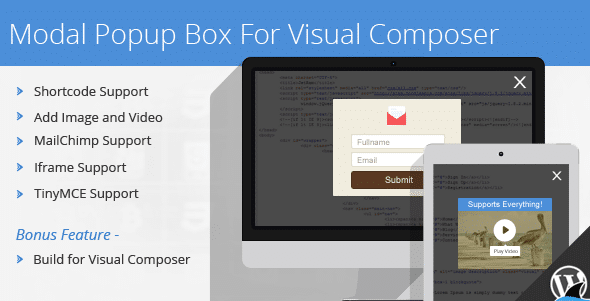
−67%Modal Popup Box For Visual Composer 1.4.14
 −92%
−92%Marketify – Digital Marketplace WordPress Theme 2.16.0
 −93%
−93%Laser Loader — Stylish Progress Bar Preloader 1.1.0
 −92%
−92%