
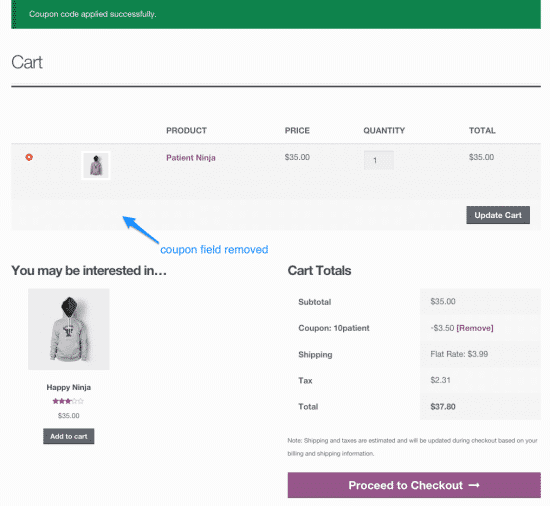
WooCommerce URL Coupons 2.15.1
SKU: 4020
One-time payment · lifetime access to this file
- Instant download after purchase
- 100% original, unmodified GPL file
- Free lifetime updates on request
- Secure Razorpay / PayPal checkout
Product details
- Version on file
- 2.15.1
- Type
- plugin
- Released
- 10-02-2022
- File size
- 2.65 MB
- License
- GPL
About WooCommerce URL Coupons 2.15.1
WooCommerce URL Coupons is a plugin from WooCommerce that adds a coupon link to your store. A shopper who clicks that link has the coupon applied to their cart automatically, so they never have to type a code. It is filed under marketing in the store.
That makes it useful where a typed code causes friction: newsletters, social posts, affiliate pages and printed QR codes. You set the link up on an existing WooCommerce coupon. The listing gives few other details, so read the documentation in the package for the redirect and product options.
The file on record is version 2.15.1, released in 2022. The old description quotes a different number, 2.10.0, so check the version in the Plugins screen. Test it with your current WordPress, PHP and WooCommerce on a staging site first.
Requirements
- WordPress
- WooCommerce
Key features
- Coupon links
- Each link applies a WooCommerce coupon when the shopper visits it.
- Works with normal coupons
- It extends coupons you already create in WooCommerce, with their usual limits and rules.
- Redirect after applying
- A link can send the shopper to a page you choose; check the package documentation for the exact options.
- Good for campaigns
- Links are easy to place in emails, social posts, ads and QR codes.
- Marketing category
- Filed under marketing, matching its use for promotions.
Is it right for you?
A good fit for
- Stores that send discount offers by email or social media
- Shops that want shoppers to skip typing a coupon code
Look elsewhere if
- Stores without WooCommerce, since it extends WooCommerce coupons
- Shops that need loyalty credit, gift cards or complex rules; a full coupon plugin covers those
How to install WooCommerce URL Coupons 2.15.1
- 1
Download the file
Open My Account → Downloads and download the product. If the archive contains several zips (documentation, child theme, licensing files), you need the one named after the product.
- 2
Upload it to WordPress
In your dashboard go to Plugins → Add New Plugin → Upload Plugin and choose the zip.
- 3
Install and activate
Click Install Now, then Activate. If an older or free copy is already installed, WordPress offers to replace it with the uploaded version.
Setup: using WooCommerce URL Coupons 2.15.1
- Activate the plugin. Activate WooCommerce URL Coupons with WooCommerce already running.
- Open or create a coupon. In WooCommerce, go to Marketing, Coupons and edit the coupon you want to share.
- Enable the URL option. Find the plugin's URL settings on the coupon, turn the link on and choose a link slug or redirect.
- Copy the link and test it. Open it in a private window, check the coupon is applied in the cart, and place a test order.
Common problems and fixes
The link opens the store but no coupon is applied
- Why it happens
- The coupon has expired, hit its usage limit, or does not apply to what is in the cart.
- How to fix it
- Check the coupon's expiry, limits and product restrictions in WooCommerce, then try the link in a private window.
The coupon is lost after the link is opened
- Why it happens
- Caching plugins or a CDN can serve a stored copy of the page and skip the coupon step.
- How to fix it
- Exclude the coupon link pages and the cart from page caching.
“The link you followed has expired.” when uploading
- Why it happens
- The zip is larger than your server's PHP upload limit (upload_max_filesize / post_max_size).
- How to fix it
- Raise the upload limit in your hosting control panel, or unzip the file and upload the folder to wp-content/plugins with your host's file manager or SFTP.
“The package could not be installed. No valid plugins were found.”
- Why it happens
- The uploaded zip is a bundle (or a theme), not the plugin itself.
- How to fix it
- Unzip the download once and upload the inner zip named after the plugin.
“Plugin could not be activated because it triggered a fatal error.”
- Why it happens
- Usually a PHP version older than the plugin needs, or a second copy of the same plugin (for example the free version) still active.
- How to fix it
- Check your PHP version under Tools → Site Health → Info, deactivate any other copy of the plugin, and enable WP_DEBUG_LOG to see the exact error.
Licence or “updates unavailable” notices
- Why it happens
- The developer's licence key isn't included. Features that call the developer's servers (template libraries, cloud APIs, automatic updates) need it.
- How to fix it
- Everything that runs locally works without it. For a newer file, use Request an update from your account.
Alternatives to WooCommerce URL Coupons 2.15.1
| Product | Choose it if | Price |
|---|---|---|
| WooCommerce Smart Coupons 8.12.0 | you want a broader coupon toolkit with options beyond a single shareable link. | $4.25 |
| WooCommerce After Sales Coupons 1.2.0 | you want coupons to be issued to customers after a purchase rather than shared by link. | $4.25 |
Frequently asked questions
Does it create the coupons itself?
No. You create the coupon in WooCommerce, and the plugin adds a link that applies it.
Does it need WooCommerce?
Yes. It extends WooCommerce coupons and does nothing without them.
Which version is on file?
Version 2.15.1. The old description says 2.10.0, so check the version in the Plugins screen.
Will it work with current WooCommerce?
The file dates from 2022, so test it on a staging copy first, including the cart and checkout pages.
Categories: Marketing
Related products
 −85%
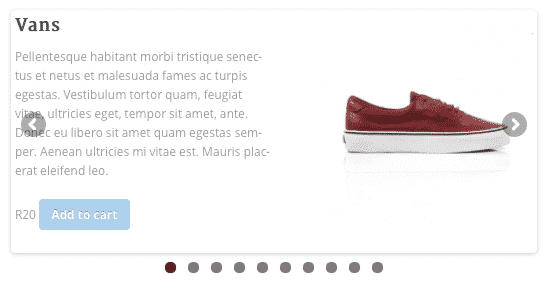
−85%WooSlider Products Slideshow 1.0.23
 −80%
−80%Purple – Notification & Transactional Email Templates
 −78%
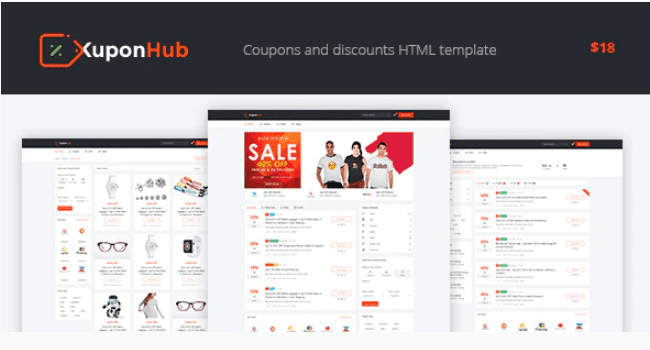
−78%Kuponhub | Affiliate Coupons and Discounts
 −79%
−79%Ghazal – Responsive Email and Newsletter Template
 −78%
−78%Ember – Responsive Email + StampReady Builder
 −73%
−73%CaYo – Creative Agency Elementor Template Kit
 −92%
−92%Seosight – SEO, Digital Marketing Agency WP Theme with Shop 5.2
 −96%
−96%