
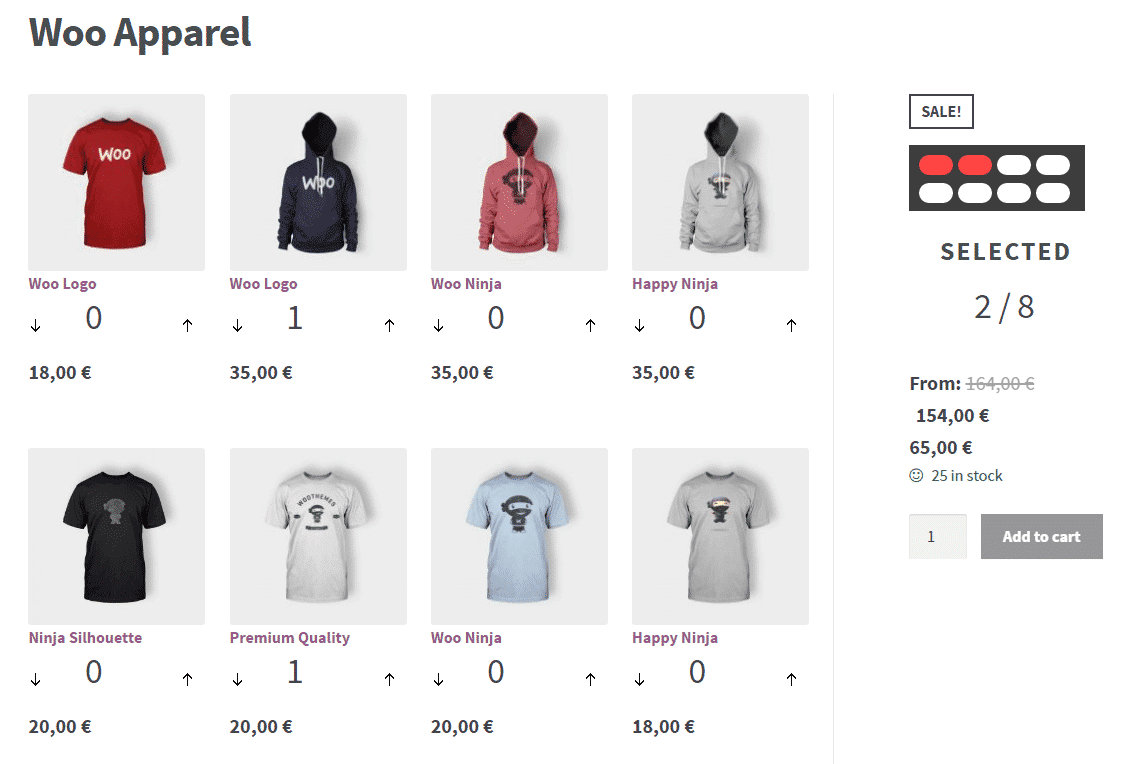
Woocommerce Mix N Match Products 1.7.1
SKU: 8396
One-time payment · lifetime access to this file
- Instant download after purchase
- 100% original, unmodified GPL file
- Free lifetime updates on request
- Secure Razorpay / PayPal checkout
Product details
- Version on file
- 1.7.1
- Developer
- WooThemes
- Type
- Plugin
- Released
- September 25, 2017
- License
- GPL
- Live demo
- View the developer's demo
About Woocommerce Mix N Match Products 1.7.1
Mix and Match adds a product type to WooCommerce that works as a container of a set size. You choose the number of items needed to fill it and which products can go in. The customer then picks a quantity of each, for example a dozen donuts, a case of wine or a pack of T-shirts in mixed colours.
The file on record is version 1.7.1 from September 2017, from WooThemes. It is old, so test it with your current WordPress, PHP and WooCommerce versions on a staging site before using it on a live shop. Check product pages, the cart and checkout, because this extension changes how an item is added to the cart.
Requirements
- WooCommerce
Key features
- Container products of a set size
- You set how many items fill the container, and customers choose which items and how many of each.
- Simple products and variations
- Both simple products and product variations can be part of an assortment.
- Static or per-item pricing
- The container can have one fixed price or be priced per item and totalled.
- Flexible shipping
- Assortments can ship in one package, ship separately or not ship at all.
- Inventory management
- Items in the assortment are stock-managed as normal, and the container can be too.
- Template overrides
- The product table can be customised through template overrides, like other WooCommerce templates.
Is it right for you?
A good fit for
- Shops selling boxes, packs, gift baskets or cases made from a choice of items
- Stores that want customers to buy in bulk without being forced to take every item
Look elsewhere if
- Products with a fixed bundle of set parts, where a bundle or composite plugin fits better
- Anyone who needs to control the quantity of each item inside the pack
How to install Woocommerce Mix N Match Products 1.7.1
- 1
Download the file
Open My Account → Downloads and download the product. If the archive contains several zips (documentation, child theme, licensing files), you need the one named after the product.
- 2
Upload it to WordPress
In your dashboard go to Plugins → Add New Plugin → Upload Plugin and choose the zip.
- 3
Install and activate
Click Install Now, then Activate. If an older or free copy is already installed, WordPress offers to replace it with the uploaded version.
Notes for this product
- The description says the items in a container must each have a price, even if the container itself has a fixed price.
Setup: using Woocommerce Mix N Match Products 1.7.1
- Install on a staging copy. Activate the plugin with WooCommerce on a staging site first.
- Make sure items have prices. Give every product you want in the assortment a price, because WooCommerce won't sell an item with an empty price.
- Create the container product. Add a new product and choose the Mix and Match product type, then set the container size.
- Choose the items and pricing. Pick which products can be selected, then choose fixed or per-item pricing.
- Test an order. Build a pack on the product page, add it to the cart and check out as a customer.
Common problems and fixes
The add-to-cart button is missing or can't be clicked
- Why it happens
- A fixed-price container has no price in its General options, or a theme or plugin script conflicts.
- How to fix it
- Enter a price in the General tab, or switch to a default theme and disable plugins one by one.
Some items don't appear in the assortment
- Why it happens
- Products without a price can't be purchased in WooCommerce, so they are left out.
- How to fix it
- Add a price to each item, even when the container has a fixed price.
The product content looks squeezed
- Why it happens
- WooCommerce places the summary beside the main image, which leaves little room for a product table.
- How to fix it
- Adjust the single-product layout with a template override or a theme setting.
“The link you followed has expired.” when uploading
- Why it happens
- The zip is larger than your server's PHP upload limit (upload_max_filesize / post_max_size).
- How to fix it
- Raise the upload limit in your hosting control panel, or unzip the file and upload the folder to wp-content/plugins with your host's file manager or SFTP.
“The package could not be installed. No valid plugins were found.”
- Why it happens
- The uploaded zip is a bundle (or a theme), not the plugin itself.
- How to fix it
- Unzip the download once and upload the inner zip named after the plugin.
“Plugin could not be activated because it triggered a fatal error.”
- Why it happens
- Usually a PHP version older than the plugin needs, or a second copy of the same plugin (for example the free version) still active.
- How to fix it
- Check your PHP version under Tools → Site Health → Info, deactivate any other copy of the plugin, and enable WP_DEBUG_LOG to see the exact error.
Licence or “updates unavailable” notices
- Why it happens
- The developer's licence key isn't included. Features that call the developer's servers (template libraries, cloud APIs, automatic updates) need it.
- How to fix it
- Everything that runs locally works without it. For a newer file, use Request an update from your account.
Alternatives to Woocommerce Mix N Match Products 1.7.1
| Product | Choose it if | Price |
|---|---|---|
| Composite Products for WooCommerce 8.3.7 | you need configurable products with components, steps and dependencies rather than a simple pick-by-quantity pack. | $3.99 |
| WooCommerce Bundled Products – Iconic 2.0.12 | you want to sell a fixed bundle of products together rather than let customers fill a box. | $4.59 |
Frequently asked questions
What is Mix and Match for?
It lets customers fill a container of a set size with items they choose, such as a six-pack or a gift basket.
Can I set exact quantities for each item?
No. Customers control the quantities. For fixed quantities, a bundle or composite product plugin fits better.
Can I sell items only inside a pack?
Yes. Set the item's Catalog visibility to Hidden so it only appears inside the container.
Can I add a pack to an order by hand?
Not directly. The description says the exact contents can't be filled in automatically for manually added orders.
Categories: Marketing
Related products
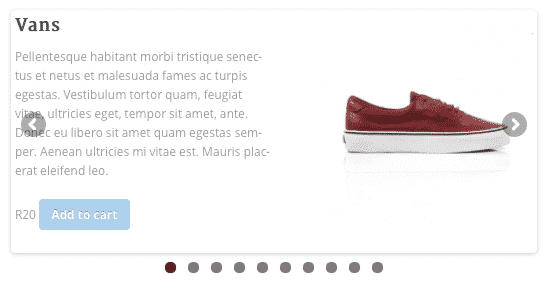 −85%
−85%WooSlider Products Slideshow 1.0.23
 −80%
−80%Purple – Notification & Transactional Email Templates
 −78%
−78%Kuponhub | Affiliate Coupons and Discounts
 −79%
−79%Ghazal – Responsive Email and Newsletter Template
 −78%
−78%Ember – Responsive Email + StampReady Builder
 −73%
−73%CaYo – Creative Agency Elementor Template Kit
 −92%
−92%Seosight – SEO, Digital Marketing Agency WP Theme with Shop 5.2
 −96%
−96%