
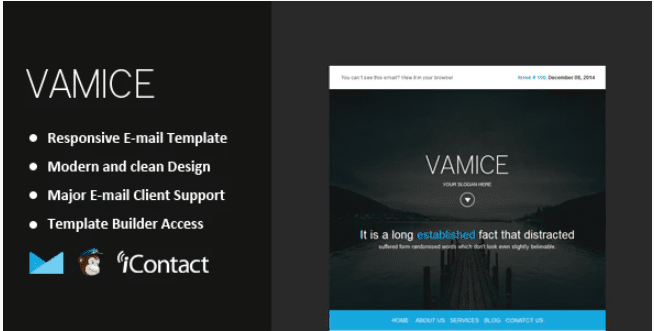
Vamice – Responsive Email + Themebuilder Access
SKU: 3430
One-time payment · lifetime access to this file
- Instant download after purchase
- 100% original, unmodified GPL file
- Free lifetime updates on request
- Secure Razorpay / PayPal checkout
Product details
- Type
- Theme
- Released
- July 8, 2020
About Vamice – Responsive Email + Themebuilder Access
Vamice is a responsive email template. The name says it comes with Themebuilder access, meaning an online editor for assembling and changing the email. The store files it under Marketing, Email marketing, MailChimp and Responsive. Despite the plugin type shown on this page, it is an email template, not something you install in WordPress.
The listing doesn't state the number of layouts, which email platforms it exports to or how the Themebuilder access works. It was released in July 2020. Email clients render HTML differently, so send test emails to Gmail, Outlook and a phone before a real campaign. Read the documentation in the package for the setup steps.
Key features
- Responsive email layout
- Designed to adapt to desktop and mobile email clients.
- Themebuilder access
- The name indicates access to an online builder for editing the email.
- MailChimp category
- Filed under MailChimp and email marketing, which suggests use with those tools.
- Customisable design
- Colours, text and images can be changed to match your brand.
Is it right for you?
A good fit for
- Marketers who want a ready-made newsletter design to edit
- Small businesses sending campaigns from an email marketing service
Look elsewhere if
- People looking for a WordPress plugin, since this is an email template
- Buyers who need to know the exact supported platforms before choosing
How to install Vamice – Responsive Email + Themebuilder Access
- 1
Download the file
Open My Account → Downloads and download the product. If the archive contains several zips (documentation, child theme, licensing files), you need the one named after the product.
- 2
Preview and edit
Unzip the template and open the HTML files in a code editor. Text lives in the .html files; colours and fonts are in the CSS.
- 3
Upload to your host
Upload the template folder's contents to your site's public folder (often public_html) with your host's file manager or SFTP, keeping the folder structure intact.
Notes for this product
- This is not installed through the WordPress Plugins screen. Follow the instructions in the package to use the template with your email tool.
Setup: using Vamice – Responsive Email + Themebuilder Access
- Read the documentation. Check how the Themebuilder access works and which platforms the template supports.
- Open the template. Use the builder or the provided HTML files, as the package describes.
- Edit the content. Replace the text, images and links with your own.
- Export to your email tool. Move the finished HTML into your sending service.
- Send test emails. Check the design in several email apps before sending to your list.
Common problems and fixes
The contact form doesn't send
- Why it happens
- Static templates need a server-side script or a form service to deliver mail.
- How to fix it
- Configure the template's mail script with your address on a host that supports PHP mail or SMTP, or connect a form service.
Sliders, fonts or maps don't work when opening index.html directly
- Why it happens
- Browsers block some scripts on file:// pages.
- How to fix it
- Preview through a local server (for example VS Code Live Server) or after uploading to your host.
Alternatives to Vamice – Responsive Email + Themebuilder Access
| Product | Choose it if | Price |
|---|---|---|
| tellmail – 20 Unique Responsive Email Set + Online Access | you want a set of 20 responsive emails with online access. | $3.99 |
| Continum – Responsive Email + StampReady Builder | you prefer a StampReady builder for editing the email. | $3.99 |
Frequently asked questions
Is this a WordPress plugin?
No. Although the type shown is plugin, the name and categories describe an email template.
Does it work with MailChimp?
It is filed under MailChimp, but the listing doesn't state the details. Check the documentation.
How many layouts are included?
The listing doesn't say.
Will it look the same in every inbox?
Not always. Test in several email clients, since they render HTML differently.
Categories: Marketing, Responsive, Email marketing, email, Camping, MailChimp, Business Service
Related products
 −95%
−95%Zenex – eCommerce WooCommerce Theme
 −93%
−93%Zarja – WordPress Blog Theme
 −77%
−77%Zakas – Fashion HTML Template
 −93%
−93%Yottis | Personal Creative Portfolio WordPress Theme + Store 1.0
 −93%
−93%YITH PayPal Payouts for WooCommerce 1.0.23
 −93%
−93%Yankee – Insurance & Consulting WordPress Theme 1.3
 −92%
−92%WPForms Form Abandonment Addon 1.9.0
 −85%
−85%