
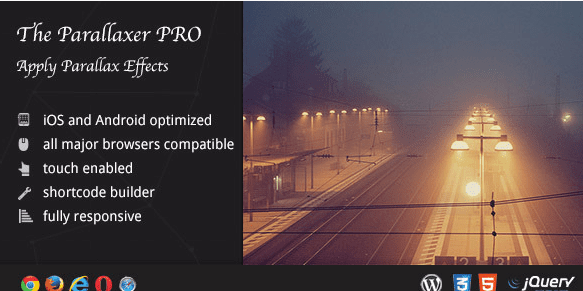
The Parallaxer WP – Parallax Effects on Content 3.20
SKU: 8866
One-time payment · lifetime access to this file
- Instant download after purchase
- 100% original, unmodified GPL file
- Free lifetime updates on request
- Secure Razorpay / PayPal checkout
Product details
- Version on file
- 3.20
- Marketplace
- Codecanyon
- Type
- Plugin
- Released
- February 1, 2019
- License
- GPL
- Live demo
- View the developer's demo
About The Parallaxer WP – Parallax Effects on Content 3.20
The Parallaxer WP is a WordPress plugin for parallax effects on content. Parallax means that elements move at a different speed from the page as visitors scroll, which gives a layered, depth-like look. It was originally sold on CodeCanyon, and the file on record is version 3.20 from February 2019.
The listing doesn't say how the effects are applied, whether through a shortcode, a builder element or a settings page, nor which effects it includes. Check the documentation in the package before you plan a design. Because the file dates from 2019, test it with your current WordPress and PHP versions on a staging site, and check page speed and phone behaviour.
Key features
- Parallax effects
- Adds parallax scrolling to content on WordPress pages.
- Content-level effects
- The title says the effects apply to content, not only to background images.
- WordPress plugin
- Installs like any plugin and works with whatever theme you already run, subject to testing.
- Documentation in the package
- The listing doesn't list options, so the package documentation is the place to confirm them.
Is it right for you?
A good fit for
- Landing pages and portfolios that want a scrolling-depth effect
- Site owners who want parallax without switching themes
Look elsewhere if
- Sites where page speed and simple layouts matter more than motion
- Buyers who need a confirmed effect list, since the listing doesn't give one
How to install The Parallaxer WP – Parallax Effects on Content 3.20
- 1
Download the file
Open My Account → Downloads and download the product. If the archive contains several zips (documentation, child theme, licensing files), you need the one named after the product.
- 2
Upload it to WordPress
In your dashboard go to Plugins → Add New Plugin → Upload Plugin and choose the zip.
- 3
Install and activate
Click Install Now, then Activate. If an older or free copy is already installed, WordPress offers to replace it with the uploaded version.
Setup: using The Parallaxer WP – Parallax Effects on Content 3.20
- Install on a staging copy. Upload and activate the plugin on a staging site first.
- Read the documentation. Open the package documentation to see how the effect is added to content.
- Apply it to one section. Add the effect to a single section of a test page and check how it scrolls.
- Check phones and speed. Parallax can feel heavy on phones, so test on a real device and check loading speed.
Common problems and fixes
The effect doesn't move, or the layout jumps while scrolling
- Why it happens
- A theme or another plugin may load conflicting scripts, or the page has a smooth-scroll or animation script of its own.
- How to fix it
- Test with a default theme and with other animation plugins switched off, then re-enable them one by one.
“The link you followed has expired.” when uploading
- Why it happens
- The zip is larger than your server's PHP upload limit (upload_max_filesize / post_max_size).
- How to fix it
- Raise the upload limit in your hosting control panel, or unzip the file and upload the folder to wp-content/plugins with your host's file manager or SFTP.
“The package could not be installed. No valid plugins were found.”
- Why it happens
- The uploaded zip is a bundle (or a theme), not the plugin itself.
- How to fix it
- Unzip the download once and upload the inner zip named after the plugin.
“Plugin could not be activated because it triggered a fatal error.”
- Why it happens
- Usually a PHP version older than the plugin needs, or a second copy of the same plugin (for example the free version) still active.
- How to fix it
- Check your PHP version under Tools → Site Health → Info, deactivate any other copy of the plugin, and enable WP_DEBUG_LOG to see the exact error.
Licence or “updates unavailable” notices
- Why it happens
- The developer's licence key isn't included. Features that call the developer's servers (template libraries, cloud APIs, automatic updates) need it.
- How to fix it
- Everything that runs locally works without it. For a newer file, use Request an update from your account.
Frequently asked questions
What does a parallax plugin do?
It makes chosen elements move at a different speed from the rest of the page as visitors scroll.
How do I add the effect to a page?
The listing doesn't say whether it uses shortcodes, a builder element or settings. Check the documentation in the package.
Will it work with current WordPress?
The file is version 3.20 from February 2019, so test it on a staging copy first.
Categories: Wordpress Plugins, Plugins, Wordpress, Envato Plugin
Related products
 −93%
−93%Yottis | Personal Creative Portfolio WordPress Theme + Store 1.0
 −93%
−93%YITH WooCommerce Quick Checkout for Digital Goods Premium 1.26.0
 −93%
−93%YITH WooCommerce Order Tracking Premium 2.14.0
 −93%
−93%YITH PayPal Payouts for WooCommerce 1.0.23
 −93%
−93%Yankee – Insurance & Consulting WordPress Theme 1.3
 −92%
−92%XPromoter – Top Bar Switcher Responsive WordPress Plugin 1.3.3
−92%WPMU DEV Ning To BuddyPress WordPress Plugin 1.2.2
 −93%
−93%