

SafetyKit – Pandemic Prevention & Awareness Template Kit
SKU: 6432
One-time payment · lifetime access to this file
- Instant download after purchase
- 100% original, unmodified GPL file
- Free lifetime updates on request
- Secure Razorpay / PayPal checkout
Product details
- Marketplace
- Themeforest
- Type
- Theme
- Released
- May 30, 2020
- License
- GPL
- Live demo
- View the developer's demo
About SafetyKit – Pandemic Prevention & Awareness Template Kit
SafetyKit is a template kit for Elementor, made for pandemic prevention and awareness websites. A template kit is a set of ready-made page designs that you import into Elementor, rather than a full theme. The file on record dates from May 2020, when health-awareness sites were in demand.
The listing doesn't state which page templates are in the kit or which plugins it needs, so check the documentation in the package. Treat the content as sample material and replace any health guidance with current information from your local health authority. Test the import on a staging site with your current Elementor.
Requirements
- Elementor
- A WordPress theme to run the kit on (check the documentation for the one it recommends)
Key features
- Elementor template kit
- Ready-made page designs that you import into Elementor.
- Health awareness theme
- Designed for prevention, safety and awareness content.
- Business-friendly
- Also filed under business and multi-purpose, so clinics, shops or services can reuse it.
- Page templates
- A kit normally includes several page designs; the listing doesn't state which.
Is it right for you?
A good fit for
- Clinics, community groups and local services that want an awareness page quickly
- Elementor users who want ready-made designs they can edit
Look elsewhere if
- Sites that don't use Elementor
- Sites that need current public-health guidance supplied for them
How to install SafetyKit – Pandemic Prevention & Awareness Template Kit
- 1
Install Elementor
Template kits need the free Elementor plugin. Check the product details for kits that also need Elementor Pro or a specific add-on.
- 2
Download the file
Open My Account → Downloads and download the product. If the archive contains several zips (documentation, child theme, licensing files), you need the one named after the product.
- 3
Import the kit
Install the free Envato Elements or Template Kit – Import plugin, open Installed Kits → Upload Template Kit, and select the kit zip without unzipping it.
- 4
Install requirements, then import templates
Use the Install Requirements button to add any missing add-ons, then import the templates you want and assign them to pages.
Notes for this product
- A template kit is not a theme. Import its templates into Elementor, and follow the documentation in the package for any extra plugins.
Setup: using SafetyKit – Pandemic Prevention & Awareness Template Kit
- Read the documentation. Find out which plugins and which base theme the kit expects.
- Import the templates. Use the import method described in the package and check the templates in Elementor.
- Build your pages. Create pages from the templates and replace the sample text and images.
- Update the guidance. Replace any health advice with up-to-date information from an authoritative source.
- Test on a phone. Check each page on desktop and on a phone.
Common problems and fixes
Imported pages look unstyled or are missing widgets
- Why it happens
- A plugin that the kit's widgets depend on isn't installed, or Elementor is too old or too new for the 2020 templates.
- How to fix it
- Install the plugins listed in the kit's documentation, then reimport on a staging site.
Kit upload fails or shows as invalid
- Why it happens
- The kit was unzipped and re-zipped, or an inner file was uploaded.
- How to fix it
- Upload the original kit zip exactly as downloaded.
Imported templates have empty sections
- Why it happens
- A required add-on isn't installed.
- How to fix it
- Open the kit in Installed Kits and click Install Requirements, then re-import the template.
Images appear as grey placeholders
- Why it happens
- Kits often ship with placeholder images because the demo photos are licensed separately.
- How to fix it
- Replace them with your own images in the Elementor editor.
Alternatives to SafetyKit – Pandemic Prevention & Awareness Template Kit
| Product | Choose it if | Price |
|---|---|---|
| Serving – Service & Business Template Kit | you want a general service and business Elementor kit rather than a health-awareness one. | $3.99 |
| Lure – Modern Dermatology Template Kit | your site is for a clinic and you want a medical-style kit. | $3.99 |
Frequently asked questions
Is it a theme?
No. It is a template kit of page designs you import into Elementor.
Does it need Elementor?
Yes. The templates are built for it.
Is the health content current?
The file dates from May 2020. Replace any guidance with current information.
Which templates are included?
The listing doesn't say. Check the documentation in the package.
Categories: Business, Blog, Multi-Purpose, Premium Theme, Themes, WordPress Premium Themes, Business Service, Blog News Magazine
Related products
 −94%
Zyra – The Clean, Minimal Shopify Theme
 −95%
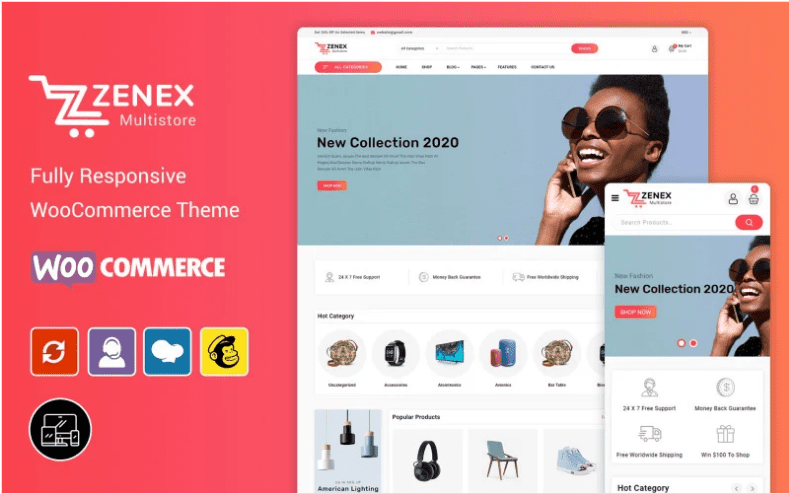
Zenex – eCommerce WooCommerce Theme
 −93%
Zarja – WordPress Blog Theme
 −93%
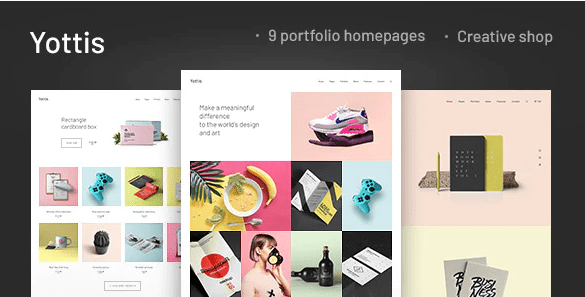
Yottis | Personal Creative Portfolio WordPress Theme + Store 1.0
 −93%
YITH PayPal Payouts for WooCommerce 1.0.23
 −93%
Yankee – Insurance & Consulting WordPress Theme 1.3
 −93%
WPMU DEV Fixer WordPress Theme 1.4.1
 −92%