
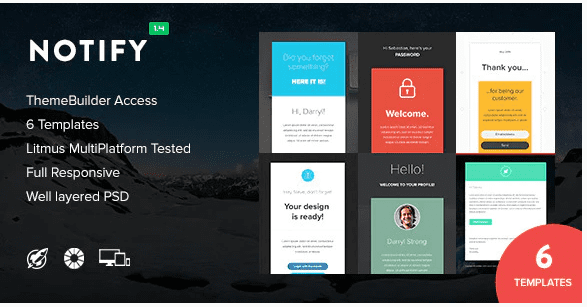
NotificationApp – Responsive Notification Email HTML Templates
SKU: 3495
One-time payment · lifetime access to this file
- Instant download after purchase
- 100% original, unmodified GPL file
- Free lifetime updates on request
- Secure Razorpay / PayPal checkout
Product details
- Type
- Theme
- Released
- July 6, 2020
About NotificationApp – Responsive Notification Email HTML Templates
NotificationApp is a set of responsive HTML email templates for notification-style messages. The old listing text describes it as a website template, which is wrong. The title and the categories (email, email marketing, MailChimp, Android, responsive) show it is for email.
You edit the HTML to add your branding and message, then send it through an email service or your app. The listing doesn't say how many templates are included or whether they are set up for MailChimp's editor. The file dates from July 2020. Check the package documentation and send test emails to several mail clients.
Key features
- Responsive email layouts
- Built to adapt to phone and desktop mail clients.
- Notification style
- Designed for messages such as alerts and account notices, as the name suggests.
- Plain HTML files
- Delivered as HTML you edit in a code editor, not a WordPress plugin.
- MailChimp category
- Filed under MailChimp; the listing doesn't say whether it includes an import-ready version.
Is it right for you?
A good fit for
- App and SaaS owners who need transactional or notification emails
- Marketers who can edit HTML and send through an email service
Look elsewhere if
- Anyone wanting a website template, despite the old description
- Users who want a drag-and-drop email builder
How to install NotificationApp – Responsive Notification Email HTML Templates
- 1
Download the file
Open My Account → Downloads and download the product. If the archive contains several zips (documentation, child theme, licensing files), you need the one named after the product.
- 2
Preview and edit
Unzip the template and open the HTML files in a code editor. Text lives in the .html files; colours and fonts are in the CSS.
- 3
Upload to your host
Upload the template folder's contents to your site's public folder (often public_html) with your host's file manager or SFTP, keeping the folder structure intact.
Notes for this product
- These are email files, not a website. Check the documentation to see whether they work with your sending service.
Setup: using NotificationApp – Responsive Notification Email HTML Templates
- Open the files and docs. Look at the included HTML files and the documentation.
- Edit the content. Replace text, logo and links in a code editor.
- Host the images. Upload images to a public web address and update the image links.
- Send test emails. Send to Gmail, Outlook and a phone before using it for real messages.
Common problems and fixes
Images do not show in some inboxes
- Why it happens
- Image links point to local files or to a server that blocks them, or the mail client blocks images by default.
- How to fix it
- Host images on a public URL, use full links, and add alt text.
The layout looks different in Outlook
- Why it happens
- Outlook for Windows uses its own rendering engine, which ignores much modern CSS.
- How to fix it
- Test in Outlook and adjust the table-based parts of the template as needed.
The contact form doesn't send
- Why it happens
- Static templates need a server-side script or a form service to deliver mail.
- How to fix it
- Configure the template's mail script with your address on a host that supports PHP mail or SMTP, or connect a form service.
Sliders, fonts or maps don't work when opening index.html directly
- Why it happens
- Browsers block some scripts on file:// pages.
- How to fix it
- Preview through a local server (for example VS Code Live Server) or after uploading to your host.
Alternatives to NotificationApp – Responsive Notification Email HTML Templates
| Product | Choose it if | Price |
|---|---|---|
| Purple – Notification & Transactional Email Templates | you want another set of notification and transactional email templates | $3.99 |
| Notify2 – Notification Email + Themebuilder Access | you want notification emails that come with online builder access | $3.99 |
Frequently asked questions
Is this a website template?
No. Despite the old description, it is an email template set.
Does it work with MailChimp?
It is filed under MailChimp, but the listing doesn't state how. Check the documentation.
Can I use it in WordPress?
It is plain HTML for email. You would paste it into an email service or send it from your app, not install it as a plugin.
Categories: Business, Marketing, Responsive, Email marketing, email, Android, MailChimp
Related products
 −95%
−95%Zenex – eCommerce WooCommerce Theme
 −77%
−77%Zakas – Fashion HTML Template
 −85%
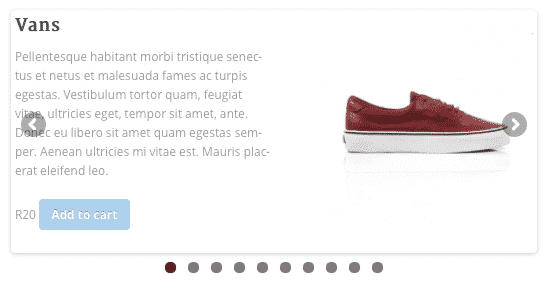
−85%WooSlider Products Slideshow 1.0.23
 −93%
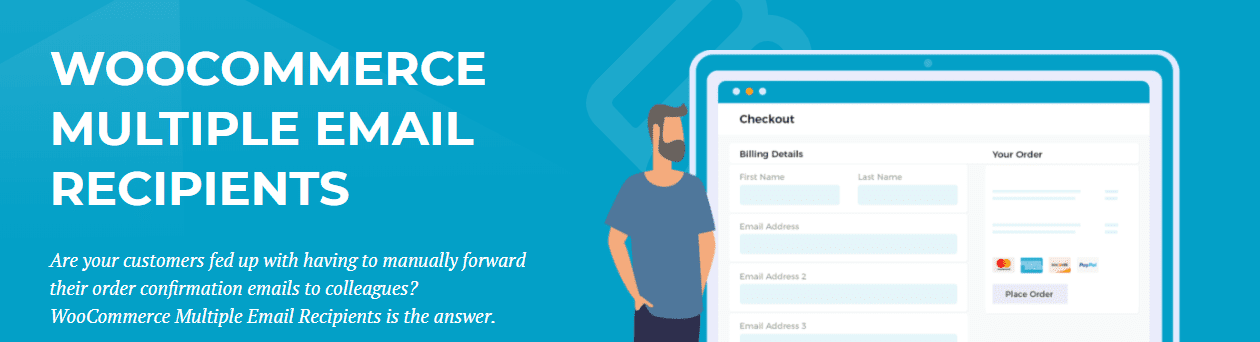
−93%WooCommerce Multiple Email Recipients (By Barn2 Media) 1.2
 −93%
−93%Volga – MegaShop Responsive Prestashop 1.7 Theme
 −70%
−70%Undo Redo for WPBakery Page Builder 1.2.5
 −83%
−83%UberSlider Layer Slider WordPress Plugin 1.8.2.2
 −93%
−93%