
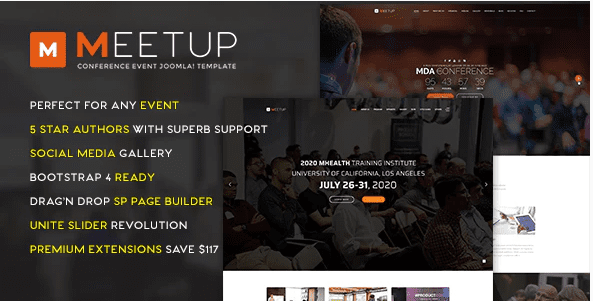
MeetUp Conference Event Joomla Template
SKU: 4155
One-time payment · lifetime access to this file
- Instant download after purchase
- 100% original, unmodified GPL file
- Free lifetime updates on request
- Secure Razorpay / PayPal checkout
Product details
- Type
- Theme
- Released
- April 19, 2020
About MeetUp Conference Event Joomla Template
MeetUp is a template for Joomla, not WordPress, designed for conference and event websites. In the store it is filed under event, booking, gallery and one-page categories, and as an Envato Joomla template. It covers the look of the site, while content and functions come from Joomla itself.
The listing doesn't state which Joomla version it targets, the layouts included or any required extensions. Check the documentation in the package first. The file dates from April 2020, so test it on a copy of your Joomla site before installing it on a live one.
Requirements
- A Joomla site (check the documentation for the supported version)
Key features
- Conference and event design
- Built for presenting an event, with a one-page style layout.
- Joomla template
- Installs through Joomla's extension manager, not WordPress.
- Gallery and booking categories
- Filed under gallery and booking, hinting at photo sections and sign-up areas.
- Details not listed
- The listing doesn't state sections, extensions or Joomla version.
Is it right for you?
A good fit for
- Joomla users building a conference or meetup site
- Organisers who want a one-page event layout
Look elsewhere if
- WordPress sites, since this is a Joomla template
- Events that need ticket sales without extra extensions
How to install MeetUp Conference Event Joomla Template
Notes for this product
- Confirm the Joomla version the template was built for before installing, and test on a copy of your site first.
Setup: using MeetUp Conference Event Joomla Template
- Back up and use a test site. Make a copy of your Joomla site and install the template there first.
- Check the documentation. Confirm the supported Joomla version and any required extensions.
- Install and set as default. Install it from the Joomla administrator's extension manager and make it the default template.
- Add event content. Enter your schedule, speakers and venue details, then test on a phone.
Frequently asked questions
Does it work on WordPress?
No. It is a Joomla template and needs a Joomla site.
Can it sell tickets?
The listing doesn't state this. Ticketing usually needs a separate Joomla extension.
Which Joomla version does it support?
The listing doesn't say. Check the documentation and test on a copy.
Categories: Gallery, Event, Booking, one-page, Envato joomla, Joomla, Business Service
Related products
 −95%
−95%Zenex – eCommerce WooCommerce Theme
 −93%
−93%Zarja – WordPress Blog Theme
 −93%
−93%Yottis | Personal Creative Portfolio WordPress Theme + Store 1.0
 −93%
−93%YITH PayPal Payouts for WooCommerce 1.0.23
 −93%
−93%Yankee – Insurance & Consulting WordPress Theme 1.3
 −92%
−92%WPForms Form Abandonment Addon 1.9.0
 −93%
−93%WooCommerce Rich Snippets – Local & Business SEO 2.4.0
 −92%
−92%