
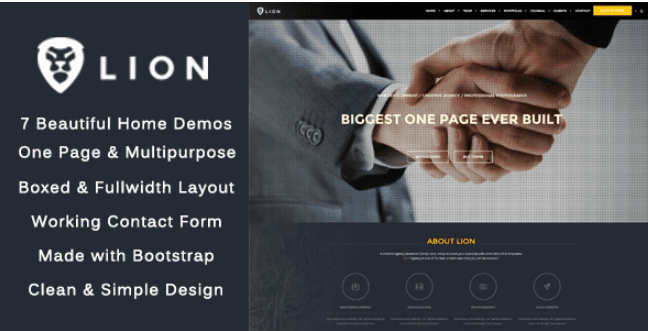
Lion – One Page & Multipurpose HTML Theme
SKU: 2284
One-time payment · lifetime access to this file
- Instant download after purchase
- 100% original, unmodified GPL file
- Free lifetime updates on request
- Secure Razorpay / PayPal checkout
Product details
- Type
- Theme
- Released
- June 13, 2020
About Lion – One Page & Multipurpose HTML Theme
Lion is a static HTML template, meaning plain HTML, CSS and script files rather than a WordPress theme. It is built as a one-page layout that can be used for several kinds of site, and it is filed as responsive, HTML5 and animated. You edit the files directly and upload them to a web host.
The store lists it under creative, business, multipurpose and one-page categories. The listing doesn't state how many sections or sample pages it includes, so open the package and read the documentation before planning your content. There is no admin panel or database to set up.
Requirements
- A code editor
- A web host or static hosting for the finished files
Key features
- One-page layout
- Built around a single scrolling page, with sections for your content.
- Multipurpose use
- Filed under creative, business and multipurpose, so you can adapt it to different kinds of site.
- Responsive HTML5
- Listed as responsive and HTML5, so layouts should adapt to tablets and phones.
- Animated effects
- Tagged as animated, which suggests motion effects on scrolling.
- No CMS needed
- Runs as plain files on any ordinary web host.
Is it right for you?
A good fit for
- Small businesses or freelancers who need one landing-style page
- Developers who want a starting point they can edit by hand
Look elsewhere if
- Sites that need many separate pages, a blog or a shop
- Anyone who wants to edit content from a WordPress dashboard
How to install Lion – One Page & Multipurpose HTML Theme
- 1
Download the file
Open My Account → Downloads and download the product. If the archive contains several zips (documentation, child theme, licensing files), you need the one named after the product.
- 2
Preview and edit
Unzip the template and open the HTML files in a code editor. Text lives in the .html files; colours and fonts are in the CSS.
- 3
Upload to your host
Upload the template folder's contents to your site's public folder (often public_html) with your host's file manager or SFTP, keeping the folder structure intact.
Setup: using Lion – One Page & Multipurpose HTML Theme
- Unzip the package. Find the main HTML file and any documentation.
- Preview on a local server. Serve the folder locally so scripts, fonts and animations load properly.
- Replace the demo content. Edit text, images, logo and menu links in each section.
- Remove sections you don't need. Delete unused blocks and update the one-page navigation so nothing links to a missing section.
- Upload and test. Copy the files to your host and check the page on desktop and phone.
Common problems and fixes
The contact form doesn't send
- Why it happens
- Static templates need a server-side script or a form service to deliver mail.
- How to fix it
- Configure the template's mail script with your address on a host that supports PHP mail or SMTP, or connect a form service.
Sliders, fonts or maps don't work when opening index.html directly
- Why it happens
- Browsers block some scripts on file:// pages.
- How to fix it
- Preview through a local server (for example VS Code Live Server) or after uploading to your host.
Alternatives to Lion – One Page & Multipurpose HTML Theme
| Product | Choose it if | Price |
|---|---|---|
| Onepager – Responsive One Page HTML Template | you want another responsive one-page HTML template to compare. | $3.99 |
| Seppo – Corporate One Page HTML Template | your page is for a corporate business and you want a corporate one-page layout. | $3.99 |
| Hasta – Responsive Multipurpose HTML5 Template | you want a multipurpose HTML5 template that isn't limited to one page. | $3.99 |
Frequently asked questions
Is Lion a WordPress theme?
No. It is a static HTML template, so you edit and upload the files yourself.
Is it responsive?
It is listed as responsive and HTML5.
How many demos or sections are included?
The listing doesn't state this. Check the package.
Can I add a blog?
Not from the template alone. You would need a separate CMS or another template.
Categories: Creative, Business, SEO, Multi-Purpose, Responsive, HTML5, Animated, one-page
Related products
 −94%
−94%Zyra – The Clean, Minimal Shopify Theme
 −95%
−95%Zenex – eCommerce WooCommerce Theme
 −93%
−93%Zarja – WordPress Blog Theme
 −77%
−77%Zakas – Fashion HTML Template
 −93%
−93%Yottis | Personal Creative Portfolio WordPress Theme + Store 1.0
 −92%
−92%WPForms Form Abandonment Addon 1.9.0
 −93%
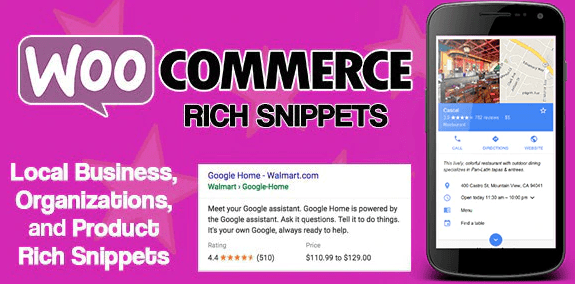
−93%WooCommerce Rich Snippets – Local & Business SEO 2.4.0
 −93%
−93%