
LearnDash LMS WordPress Plugin
Version 4.15.2
SKU: 346
One-time payment · lifetime access to this file
- Instant download after purchase
- 100% original, unmodified GPL file
- Free lifetime updates on request
- Secure Razorpay / PayPal checkout
Product details
- Version on file
- 4.15.2
- Developer
- LearnDash
- Released
- 2022/10/18
- File size
- 16.35 MB
- License
- GPL
About LearnDash LMS WordPress Plugin 4.15.2
LearnDash is a learning management system plugin for WordPress, and one of the best known. It turns a WordPress site into a course platform: you build courses out of lessons, topics and quizzes, enrol students, track their progress and issue certificates. It works with any WordPress theme or page builder, so your course pages keep your site's own design.
Courses are built in a drag-and-drop builder, and each can be free, sold once, sold on a recurring basis or kept closed for you to enrol people manually. Quizzes, assignments that students upload for approval, certificates, and tools for releasing lessons on a schedule help keep learners engaged, and you keep your content and student data on your own site.
LearnDash covers the learning side. For selling courses, it has its own payment options and can work with WooCommerce through a separate integration add-on.
Key features
- Course builder
- Arrange courses into lessons, topics and quizzes by dragging them into place.
- Quizzes
- Create quizzes to test students and track their results.
- Assignments
- Let students upload work for you to review and approve.
- Certificates
- Award certificates when students complete a course or pass a quiz.
- Scheduled lesson release
- Release lessons on a schedule, instead of all at once.
- Prerequisites and progress
- Require earlier courses or lessons to be done first, and show students how far they've got.
- Groups
- Enrol teams or cohorts together and manage them with group leaders.
- Flexible pricing
- Offer courses free, as a one-time purchase, as a subscription, or closed to manual enrolment.
Is it right for you?
A good fit for
- Course creators and training businesses who want to run courses on their own WordPress site
- Companies delivering staff training to teams and groups
- Schools and academies that need quizzes, assignments and certificates
Look elsewhere if
- Simple video-lesson sites that don't need quizzes, progress tracking or certificates, where a lighter plugin is enough
- Anyone expecting a hosted marketplace for finding students, as LearnDash is the course engine for your own site
How to install LearnDash LMS WordPress Plugin 4.15.2
- 1
Download the file
Open My Account → Downloads and download the product. If the archive contains several zips (documentation, child theme, licensing files), you need the one named after the product.
- 2
Upload it to WordPress
In your dashboard go to Plugins → Add New Plugin → Upload Plugin and choose the zip.
- 3
Install and activate
Click Install Now, then Activate. If an older or free copy is already installed, WordPress offers to replace it with the uploaded version.
Notes for this product
- LearnDash's add-ons and integrations, such as the WooCommerce integration, are separate files that need this core plugin installed first.
Setup: using LearnDash LMS WordPress Plugin 4.15.2
- Activate and open the settings. After activating, open LearnDash LMS in the dashboard menu and review the general settings.
- Create a course. Go to LearnDash LMS, Courses and add a new course with a title, description and featured image.
- Build its structure. Use the course builder to add lessons, topics and quizzes, and drag them into order.
- Set how students get access. Choose whether the course is free, bought once, recurring or closed, and set the price if it's paid.
- Add a certificate and a quiz. Create a certificate and attach it to the course, and add a quiz to check learning.
- Test as a student. Enrol a test account and work through the course on a phone and a computer.
Common problems and fixes
Course pages show a 404 error
- Why it happens
- WordPress's address rules haven't refreshed after activating the plugin.
- How to fix it
- Go to Settings, Permalinks and click Save Changes, then reload the course page.
Student progress doesn't save, or students see stale pages
- Why it happens
- A page cache or CDN is serving course pages to logged-in users.
- How to fix it
- Exclude course, lesson and quiz pages and logged-in users from page caching.
Enrolment or certificate emails don't arrive
- Why it happens
- WordPress's default mail sending is unreliable on many hosts.
- How to fix it
- Connect an SMTP or transactional email service and send a test message.
Students see the wrong button, or can't get into a course
- Why it happens
- The course's access mode doesn't match how you meant to sell it.
- How to fix it
- Open the course's access settings and choose the mode that matches, then enrol a test account to check.
“The link you followed has expired.” when uploading
- Why it happens
- The zip is larger than your server's PHP upload limit (upload_max_filesize / post_max_size).
- How to fix it
- Raise the upload limit in your hosting control panel, or unzip the file and upload the folder to wp-content/plugins with your host's file manager or SFTP.
“The package could not be installed. No valid plugins were found.”
- Why it happens
- The uploaded zip is a bundle (or a theme), not the plugin itself.
- How to fix it
- Unzip the download once and upload the inner zip named after the plugin.
“Plugin could not be activated because it triggered a fatal error.”
- Why it happens
- Usually a PHP version older than the plugin needs, or a second copy of the same plugin (for example the free version) still active.
- How to fix it
- Check your PHP version under Tools → Site Health → Info, deactivate any other copy of the plugin, and enable WP_DEBUG_LOG to see the exact error.
Licence or “updates unavailable” notices
- Why it happens
- The developer's licence key isn't included. Features that call the developer's servers (template libraries, cloud APIs, automatic updates) need it.
- How to fix it
- Everything that runs locally works without it. For a newer file, use Request an update from your account.
Alternatives to LearnDash LMS WordPress Plugin 4.15.2
| Product | Choose it if | Price |
|---|---|---|
| Tutor LMS Pro 2.4.0 | you want an LMS plugin whose Pro version includes course sales and a front-end course builder. | $4.25 |
| Sensei LMS WordPress Plugin 1.9.17 | you want an LMS that sells courses through WooCommerce as its standard approach. | $5.49 |
Frequently asked questions
Does it work with any WordPress theme?
Yes. LearnDash works with any theme or page builder, so your course pages keep your site's design.
Can I sell courses with it?
Yes. It has its own payment options, and a separate integration add-on lets WooCommerce handle the sale.
Does it include certificates and quizzes?
Yes. Quizzes, assignments and certificates are part of the plugin.
Can I release lessons gradually?
Yes. You can schedule lessons so students get them over time instead of all at once.
Do students need accounts?
Yes. Students are WordPress users, which is how progress, quiz results and certificates are tracked.
Can I enrol whole teams?
Yes. Groups let you enrol a team or cohort together and assign group leaders to follow their progress.
Categories: Customer Service
Related products
 −93%
−93%Tesla Themes Enterprise WordPress Theme 1.0.13
 −93%
−93%YITH WooCommerce Social Login Premium 1.36.0
 −94%
−94%YITH WooCommerce Barcodes And QR Codes Premium 2.23.0
 −91%
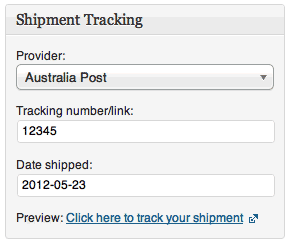
−91%WooCommerce Shipment Tracking 2.4.2
 −93%
−93%ThemeZilla Repro WordPress Theme 1.4
 −93%
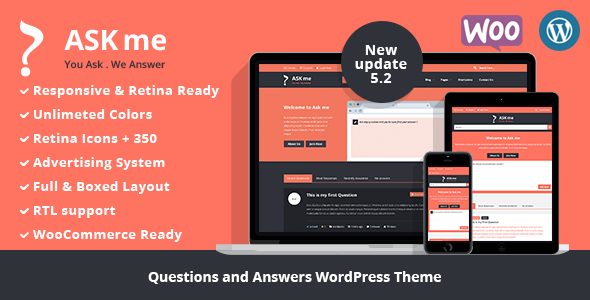
−93%Ask Me – Responsive Questions & Answers WordPress
 −96%
−96%AffiliateWP Affiliate Landing Pages Addon 1.2.1
 −93%
−93%