

Kreatura Slider(Layer Slider) Plugin for WordPress
Version 7.0.7
SKU: 7265
One-time payment · lifetime access to this file
- Instant download after purchase
- 100% original, unmodified GPL file
- Free lifetime updates on request
- Secure Razorpay / PayPal checkout
Product details
- Version on file
- 7.0.7
- Type
- plugin
- Released
- 21-12-2021
- File size
- 3.30 MB
- License
- GPL
About Kreatura Slider(Layer Slider) Plugin for WordPress 7.0.7
LayerSlider is a WordPress plugin from Kreatura for building animated sliders and hero sections. In its editor you stack layers, text, images, video and buttons, and animate each one in and out along a timeline, then publish the result on a page with a shortcode. It is responsive, so a slider adapts to tablets and phones.
Its sliders can show content you've written, such as posts, as well as layers you design by hand, and the plugin also builds popups, so one tool covers sliders, hero banners and attention-getting overlays. A library of ready-made slider templates gives you a head start, though the online template store depends on a licence.
Sliders are heavy by nature, since they load images, animations and sometimes video above the fold. Build with compressed images and as few layers as you can, because a slow slider can hurt both user experience and page speed.
Key features
- Visual timeline editor
- Place layers on a canvas and animate each one in and out along a timeline.
- Layers of any kind
- Text, images, buttons and video can all be layers in the same slide.
- Responsive sliders
- Sliders resize and reflow for tablets and phones.
- Hero sections
- Build a full-width hero banner as well as a conventional slider.
- Popups
- Create popups and overlays with the same editor.
- Content from your posts
- Show your own posts and other WordPress content in a slider, instead of building each slide by hand.
- Template library
- Start from ready-made slider templates. Downloading from the online store depends on a licence.
Is it right for you?
A good fit for
- Sites that want an animated hero or slider on the home page
- Designers who prefer to build and animate layers visually
- Sites that want popups and sliders from one plugin
Look elsewhere if
- Sites where speed is the top priority and a static banner would do
- Anyone expecting the online template store to work without a licence
How to install Kreatura Slider(Layer Slider) Plugin for WordPress 7.0.7
- 1
Download the file
Open My Account → Downloads and download the product. If the archive contains several zips (documentation, child theme, licensing files), you need the one named after the product.
- 2
Upload it to WordPress
In your dashboard go to Plugins → Add New Plugin → Upload Plugin and choose the zip.
- 3
Install and activate
Click Install Now, then Activate. If an older or free copy is already installed, WordPress offers to replace it with the uploaded version.
Setup: using Kreatura Slider(Layer Slider) Plugin for WordPress 7.0.7
- Open LayerSlider. After activating, open LayerSlider in the dashboard menu.
- Add a new slider. Create a slider from a template you have, or start from a blank one, and set its size.
- Add layers. Add text, images, buttons or video to each slide as layers.
- Animate the layers. Set how and when each layer appears and leaves, using the timeline.
- Check the responsive settings. Preview the slider at tablet and phone sizes and adjust.
- Publish it on a page. Copy the slider's shortcode, which looks like [layerslider id="1"], and paste it into a page or block.
Common problems and fixes
The slider doesn't appear, or shows an empty space
- Why it happens
- The shortcode ID is wrong, or an optimisation plugin is combining, deferring or minifying the slider's scripts.
- How to fix it
- Check the ID in the shortcode matches your slider, then exclude the plugin's scripts from combining and minifying and clear all caches.
The slider is slow or choppy
- Why it happens
- Large images, video or many animated layers put a load on the browser.
- How to fix it
- Compress and resize images, remove layers you don't need, and avoid autoplaying large videos.
The template store asks for activation
- Why it happens
- The online templates and automatic updates are tied to the developer's licence, which this download doesn't include.
- How to fix it
- You can build sliders from scratch without it. For a newer file, use Request an update from your account.
“The link you followed has expired.” when uploading
- Why it happens
- The zip is larger than your server's PHP upload limit (upload_max_filesize / post_max_size).
- How to fix it
- Raise the upload limit in your hosting control panel, or unzip the file and upload the folder to wp-content/plugins with your host's file manager or SFTP.
“The package could not be installed. No valid plugins were found.”
- Why it happens
- The uploaded zip is a bundle (or a theme), not the plugin itself.
- How to fix it
- Unzip the download once and upload the inner zip named after the plugin.
“Plugin could not be activated because it triggered a fatal error.”
- Why it happens
- Usually a PHP version older than the plugin needs, or a second copy of the same plugin (for example the free version) still active.
- How to fix it
- Check your PHP version under Tools → Site Health → Info, deactivate any other copy of the plugin, and enable WP_DEBUG_LOG to see the exact error.
Licence or “updates unavailable” notices
- Why it happens
- The developer's licence key isn't included. Features that call the developer's servers (template libraries, cloud APIs, automatic updates) need it.
- How to fix it
- Everything that runs locally works without it. For a newer file, use Request an update from your account.
Alternatives to Kreatura Slider(Layer Slider) Plugin for WordPress 7.0.7
| Product | Choose it if | Price |
|---|---|---|
| Slider Revolution Responsive WordPress Plugin 6.6.16 | you want another layered slider and hero builder to compare, with its own editor and template library. | $4.35 |
| Master Slider – WordPress Responsive Touch Slider 3.4.8 | you want a simpler, touch-friendly slider without the animated layer editor. | $4.59 |
Frequently asked questions
How do I show a slider on a page?
Copy the slider's shortcode from LayerSlider and paste it into a page, post or block. Each slider has its own ID.
Does it need a licence?
Sliders you build run without one. The online template store and automatic updates are tied to the developer's licence.
Can it make popups?
Yes. The plugin also builds popups and overlays.
Will a slider slow my site down?
It can, since sliders load images and animation. Compress your images and keep the number of layers and slides modest.
Is it responsive?
Yes. Sliders adapt to tablet and phone sizes, and you can preview them in the editor.
Categories: Content, Customize
Related products
 −93%
−93%Quform – Responsive Ajax Contact Form 2.15.0
 −67%
−67%Modal Popup Box For Visual Composer 1.4.14
 −81%
−81%WooCommerce Storefront Blog Customiser 1.3.0
 −90%
−90%Thrive Themes Comments Plugin 3.23
 −93%
−93%Content Manager 2.17
 −79%
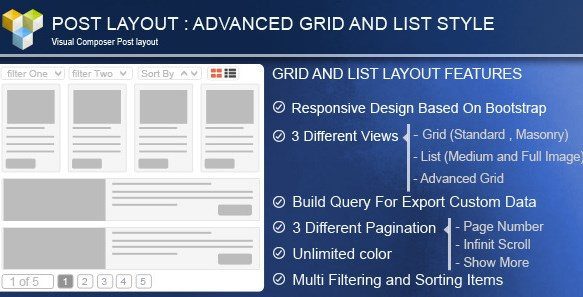
−79%Advance Post Grid/List with custom filtering for Visual Composer 3.8
 −92%
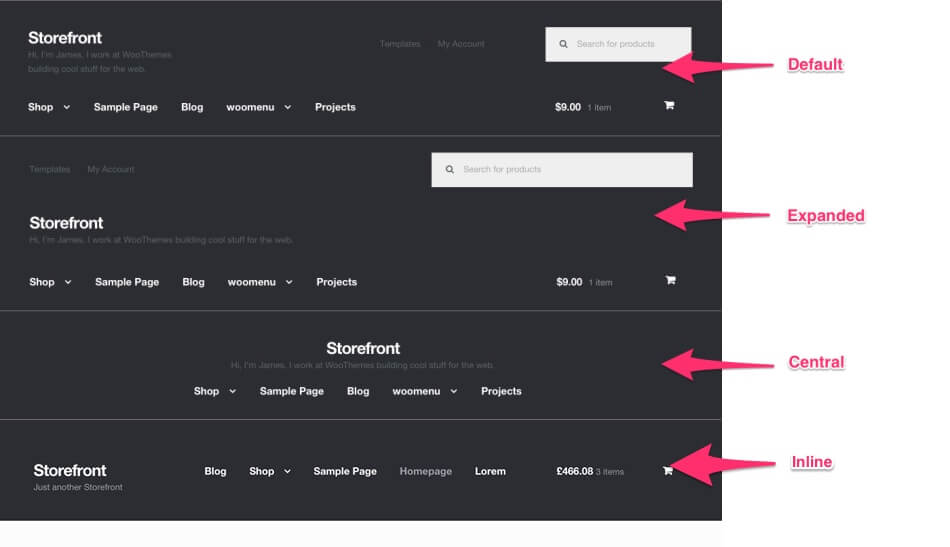
−92%WooCommerce Storefront Designer 1.8.4
 −93%
−93%