
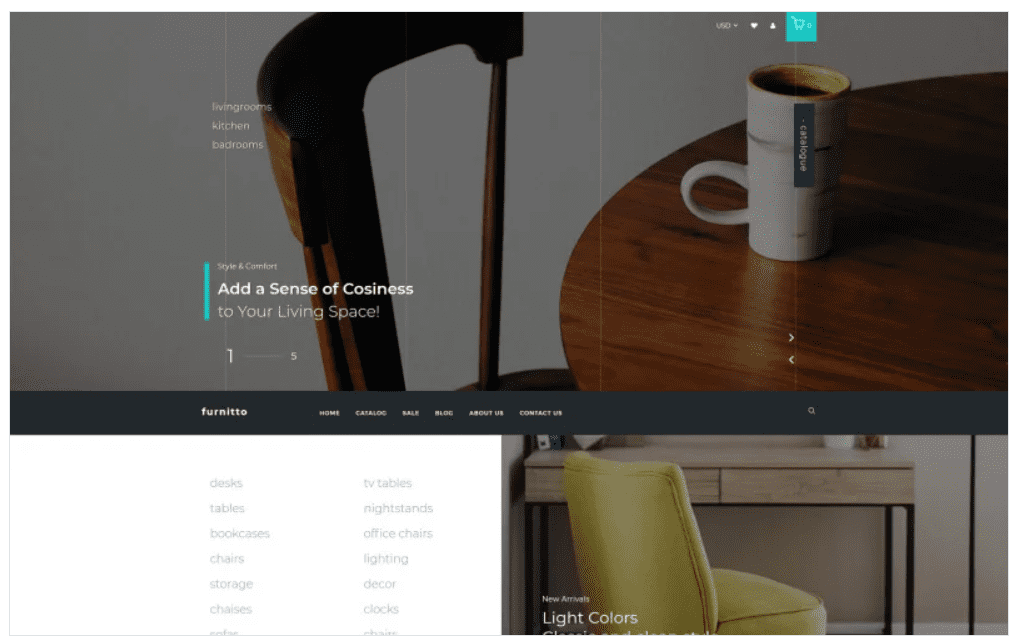
Furnitto – Furniture Store Shopify Theme
SKU: 534
One-time payment · lifetime access to this file
- Instant download after purchase
- 100% original, unmodified GPL file
- Free lifetime updates on request
- Secure Razorpay / PayPal checkout
Product details
- Marketplace
- Templatemonster
- Type
- Theme
- Released
- September 25, 2020
- License
- GPL
- Live demo
- View the developer's demo
About Furnitto – Furniture Store Shopify Theme
Furnitto is a Shopify theme for furniture shops, originally sold on Templatemonster. The store files it under eCommerce, Furniture, Home, Gallery and design, with a stray Interior Elementor Template Kit tag that doesn't apply to a Shopify theme.
The listing doesn't state which sections, product layouts or apps it supports. The file on record dates from September 2020. Upload it as a Shopify theme, preview before publishing, and use the documentation in the package for the details.
Requirements
- A Shopify store
Key features
- Furniture store design
- Named and described as a theme for furniture stores.
- Shopify theme
- Installs through Shopify's theme library.
- Responsive layout
- The listing describes responsive store designs.
- Home and gallery categories
- Filed under Home and Gallery, which suits picture-led catalogues.
Is it right for you?
A good fit for
- Furniture and home goods shops on Shopify
- Owners who want to manage the look without a developer
Look elsewhere if
- Stores not on Shopify
- Buyers who need a documented section list before downloading
How to install Furnitto – Furniture Store Shopify Theme
- 1
Download the file
Open My Account → Downloads and download the product. If the archive contains several zips (documentation, child theme, licensing files), you need the one named after the product.
- 2
Upload the theme zip
In Shopify admin go to Online Store → Themes → Add theme → Upload zip file. The correct zip has folders such as layout, sections and templates at its top level.
- 3
Customize, then publish
Click Customize to set up sections and colours. The theme stays unpublished until you click Publish, so your live store is unaffected while you work.
Setup: using Furnitto – Furniture Store Shopify Theme
- Upload the theme. Add the zip in Online Store > Themes and leave it unpublished.
- Customize. Set logo, colours and home page sections in the customizer.
- Add products. Create collections and products with consistent photos.
- Preview and publish. Test desktop and mobile, then publish.
Common problems and fixes
Shopify says the zip isn't a valid theme
- Why it happens
- The download package or a re-zipped parent folder was uploaded, so layout/theme.liquid isn't at the top level.
- How to fix it
- Unzip the package once and upload the inner theme zip as it is.
The store looks empty compared with the demo
- Why it happens
- Theme files contain layout and settings, not the demo's products and images.
- How to fix it
- Add your products and collections, then assign them to sections in Customize.
Alternatives to Furnitto – Furniture Store Shopify Theme
| Product | Choose it if | Price |
|---|---|---|
| Reroom – Furniture Store Multipage Clean Shopify Theme | you want a clean multipage furniture layout | $4.99 |
| Furnito – Interior And Furniture Store Modern Shopify Theme | you want a modern look covering interior goods too | $4.99 |
| rette – Furniture Multipage Minimalistic Shopify Theme | you prefer a minimalist furniture design | $4.99 |
Frequently asked questions
Is it a Shopify theme or an Elementor kit?
A Shopify theme. The Elementor tag in its categories is a labelling error.
Which sections are included?
The listing doesn't state them. Check the documentation in the package.
Can I code changes myself?
The listing says a coding background lets you make further changes.
Categories: Creative, eCommerce, ecommerce theme, Gallery, Furniture, design, Home, Interior Elementor Template Kit, Fashion Beauty
Related products
 −94%
−94%Zyra – The Clean, Minimal Shopify Theme
 −95%
−95%Zenex – eCommerce WooCommerce Theme
 −77%
−77%Zakas – Fashion HTML Template
 −93%
−93%Yottis | Personal Creative Portfolio WordPress Theme + Store 1.0
 −93%
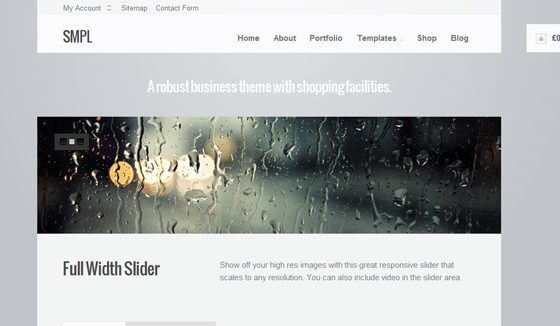
−93%WooThemes SMPL Premium Theme 1.4.5
 −93%
−93%WooThemes Live Wire Premium Theme 2.5.2
 −88%
−88%WooThemes Bookshop Storefront WooCommerce Theme 1.0.20
 −93%
−93%