
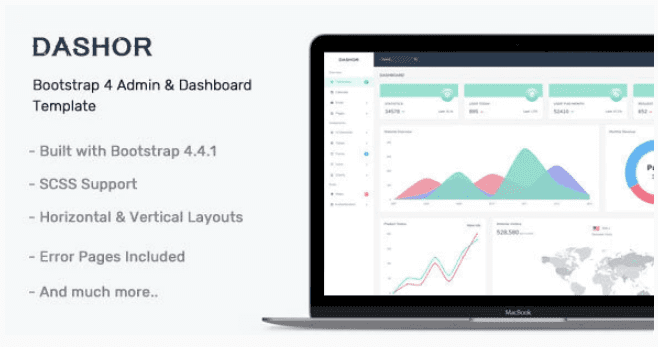
Dashor – Admin Dashboard Template
SKU: 3738
One-time payment · lifetime access to this file
- Instant download after purchase
- 100% original, unmodified GPL file
- Free lifetime updates on request
- Secure Razorpay / PayPal checkout
Product details
- Type
- Theme
- Released
- July 6, 2020
About Dashor – Admin Dashboard Template
Dashor is an admin dashboard template. The store files it under responsive, HTML5 and admin template categories, which means it is a set of front-end pages for a back-office interface: dashboard screens, navigation and UI elements that you connect to your own back end.
The listing text is generic and does not name the CSS framework, chart library, number of pages or any framework version, so none of that is stated here. Look in the package documentation. The file on record dates from July 2020, so test its scripts in your current browsers before building on it.
Key features
- Admin dashboard layout
- Provides the front-end screens for an admin or control panel.
- Responsive design
- Listed as responsive, so the layout adapts to smaller screens.
- HTML5 files
- Delivered as HTML pages you can edit and attach to your own application.
- Customisable UI elements
- The interface elements can be restyled and rearranged in code.
Is it right for you?
A good fit for
- Developers who need a ready admin front end for their own back-end project
- Small internal tools and prototypes that need a dashboard look quickly
Look elsewhere if
- People who want a working application, since a template ships no database or logic
- WordPress site owners looking for a plugin or theme
How to install Dashor – Admin Dashboard Template
- 1
Download the file
Open My Account → Downloads and download the product. If the archive contains several zips (documentation, child theme, licensing files), you need the one named after the product.
- 2
Pick a version
Admin templates often ship several builds (plain HTML, React, Angular, Laravel). Start from the folder that matches your stack.
- 3
Install dependencies
For framework builds, run npm install (or the command in the docs) and start the development server described in the README.
Notes for this product
- The listing doesn't state a build step or framework. Check the package for a readme and whether it needs a compile or install command before editing.
Setup: using Dashor – Admin Dashboard Template
- Unzip and read the documentation. Look for the readme or documentation folder to see the file structure.
- Serve it from a local web server. Open the pages through a local server rather than from the file system, so scripts load correctly.
- Pick the pages you need. Keep the dashboard, tables and forms you will use and remove the rest.
- Connect your data. Replace placeholder content and charts with data from your own back end.
Alternatives to Dashor – Admin Dashboard Template
| Product | Choose it if | Price |
|---|---|---|
| NobleUI – Admin & Dashboard Template | you want another general admin dashboard template to compare. | $3.99 |
| OneUI Vue Edition – Vuejs Admin Dashboard Template | your project is built with Vue.js and you want a Vue-based admin template. | $3.99 |
| Lexa – Bootstrap 4, React, Laravel, Ajax & PHP Admin Dashboard Template | you want a Bootstrap 4 admin template with React, Laravel and PHP variants listed. | $3.99 |
Frequently asked questions
Is this a working admin system?
No. It is a template of front-end pages. Login, data and logic come from your own back end.
Which framework does it use?
The listing doesn't say. Check the files in the package.
Can I use it with WordPress?
It is a standalone HTML template, not a WordPress theme or plugin.
Categories: Responsive, HTML5, Admin Template
Related products
 −77%
−77%Zakas – Fashion HTML Template
 −93%
−93%Volga – MegaShop Responsive Prestashop 1.7 Theme
 −70%
−70%Undo Redo for WPBakery Page Builder 1.2.5
 −83%
−83%UberSlider Layer Slider WordPress Plugin 1.8.2.2
 −93%
−93%The Grid – Responsive WordPress Grid Plugin 2.7.3
 −90%
−90%Sofee | Cosmetic Skincare Shopify Theme
 −92%
−92%SmartMag – Responsive & Retina WordPress Magazine 7.1.1
 −92%
−92%