
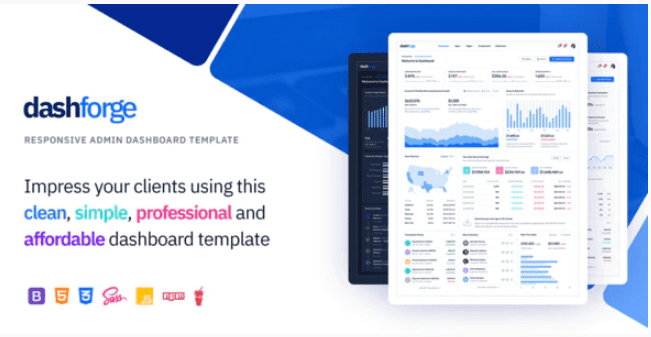
Dashforge – Responsive Admin Dashboard Template
SKU: 3737
One-time payment · lifetime access to this file
- Instant download after purchase
- 100% original, unmodified GPL file
- Free lifetime updates on request
- Secure Razorpay / PayPal checkout
Product details
- Type
- Theme
- Released
- July 6, 2020
About Dashforge – Responsive Admin Dashboard Template
Dashforge is an admin dashboard template, filed under responsive, HTML5 and admin template. It gives you pre-built dashboard pages and interface pieces that you wire up to your own back end, rather than a finished application.
The listing doesn't state which framework it is built on, how many pages or components it includes, or whether it has a build setup. Check the documentation in the package. The file on record dates from July 2020. Because it is plain front-end code, you need your own data layer and login behind it.
Key features
- Responsive layout
- Listed as responsive, so panels adapt to tablets and phones.
- HTML5 markup
- Delivered as HTML files you can open and edit directly.
- Admin template pages
- Dashboard-style pages and components for an admin interface.
- Customisable UI
- Interface elements can be changed in the HTML and CSS.
Is it right for you?
A good fit for
- Developers who need a front-end shell for a custom admin panel or internal tool
- Teams prototyping a dashboard design before connecting real data
Look elsewhere if
- Anyone expecting a working app with logins and a database
- WordPress users looking for a plugin or theme
How to install Dashforge – Responsive Admin Dashboard Template
- 1
Download the file
Open My Account → Downloads and download the product. If the archive contains several zips (documentation, child theme, licensing files), you need the one named after the product.
- 2
Pick a version
Admin templates often ship several builds (plain HTML, React, Angular, Laravel). Start from the folder that matches your stack.
- 3
Install dependencies
For framework builds, run npm install (or the command in the docs) and start the development server described in the README.
Setup: using Dashforge – Responsive Admin Dashboard Template
- Unzip and read the documentation. Find the folder with the HTML pages and any instructions for assets.
- Open the dashboard page in a browser. Serve it from a local web server if some features need one.
- Copy the layout you need. Reuse the sidebar, header and page files in your project.
- Connect your data. Replace sample charts and tables with data from your own back end.
Alternatives to Dashforge – Responsive Admin Dashboard Template
| Product | Choose it if | Price |
|---|---|---|
| Slim – Modern & Clean Responsive Bootstrap 4 Admin Dashboard Template | you want a clean, responsive admin template built on Bootstrap 4 to compare. | $3.99 |
| NobleUI – Admin & Dashboard Template | you want another admin and dashboard template to compare layouts. | $3.99 |
| Simulor – Minimal Admin & Dashboard Template | you want a more minimal admin dashboard design. | $3.99 |
Frequently asked questions
Is this a finished application?
No. It is a front-end template. You supply the back end, data and login.
Does it work with WordPress?
It is a static admin template, not a WordPress theme or plugin.
Which framework does it use?
The listing doesn't say. Check the documentation in the package.
Categories: Responsive, HTML5, Admin Template
Related products
 −77%
−77%Zakas – Fashion HTML Template
 −93%
−93%Volga – MegaShop Responsive Prestashop 1.7 Theme
 −70%
−70%Undo Redo for WPBakery Page Builder 1.2.5
 −83%
−83%UberSlider Layer Slider WordPress Plugin 1.8.2.2
 −93%
−93%The Grid – Responsive WordPress Grid Plugin 2.7.3
 −90%
−90%Sofee | Cosmetic Skincare Shopify Theme
 −92%
−92%SmartMag – Responsive & Retina WordPress Magazine 7.1.1
 −92%
−92%