
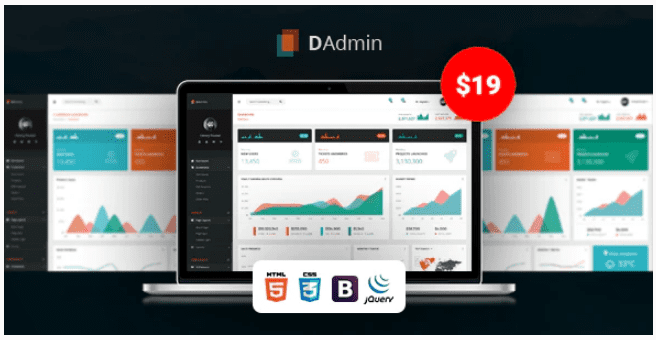
DAdmin – Responsive Bootstrap Admin Dashboard
SKU: 3731
One-time payment · lifetime access to this file
- Instant download after purchase
- 100% original, unmodified GPL file
- Free lifetime updates on request
- Secure Razorpay / PayPal checkout
Product details
- Type
- Theme
- Released
- July 6, 2020
About DAdmin – Responsive Bootstrap Admin Dashboard
DAdmin is a static admin dashboard template built on Bootstrap and listed as responsive and HTML5. It gives you the screens and interface pieces for a back-office area, such as menus, tables and cards, for you to restyle and connect to your own code.
It is a front-end template, not an installed application. The listing doesn't state which Bootstrap version it uses, which pages or charts are included, or whether it has a build step, so check the documentation in the package. The file on record dates from July 2020.
Key features
- Bootstrap based
- Named as a Bootstrap admin dashboard, so it follows that framework's grid.
- Responsive layout
- Listed as responsive, so it adapts to smaller screens.
- HTML5 files
- Plain HTML files you can edit directly.
- Admin template
- Filed under admin template for back-office interfaces.
Is it right for you?
A good fit for
- Developers who know Bootstrap and want a dashboard shell
- Internal tools and prototypes
Look elsewhere if
- Anyone needing a working admin with a database
- WordPress users looking for a plugin
How to install DAdmin – Responsive Bootstrap Admin Dashboard
- 1
Download the file
Open My Account → Downloads and download the product. If the archive contains several zips (documentation, child theme, licensing files), you need the one named after the product.
- 2
Pick a version
Admin templates often ship several builds (plain HTML, React, Angular, Laravel). Start from the folder that matches your stack.
- 3
Install dependencies
For framework builds, run npm install (or the command in the docs) and start the development server described in the README.
Setup: using DAdmin – Responsive Bootstrap Admin Dashboard
- Unzip and open the files locally. Browse the sample pages.
- Read the documentation. Check the folder structure and any build tools.
- Edit branding and menus. Change logos, colours and navigation.
- Connect your own back end. Hook the forms and tables to your data, then upload to your host.
Alternatives to DAdmin – Responsive Bootstrap Admin Dashboard
| Product | Choose it if | Price |
|---|---|---|
| Slim – Modern & Clean Responsive Bootstrap 4 Admin Dashboard Template | you want a clean Bootstrap 4 admin dashboard to compare. | $3.99 |
| Fonik – Responsive Bootstrap 4 Admin Dashboard | you want another responsive Bootstrap 4 admin dashboard. | $3.99 |
| Syntra – Responsive Bootstrap 4 Admin Dashboard | you want a further responsive Bootstrap 4 admin layout to compare. | $3.99 |
Frequently asked questions
Is it a WordPress theme?
No. It is an HTML admin template.
Which Bootstrap version?
The listing doesn't say. Check the documentation in the package.
Does it include charts and tables?
The listing doesn't state it. Browse the sample pages in the package.
Categories: Responsive, HTML5, Admin Template
Related products
 −77%
−77%Zakas – Fashion HTML Template
 −93%
−93%Volga – MegaShop Responsive Prestashop 1.7 Theme
 −70%
−70%Undo Redo for WPBakery Page Builder 1.2.5
 −83%
−83%UberSlider Layer Slider WordPress Plugin 1.8.2.2
 −93%
−93%The Grid – Responsive WordPress Grid Plugin 2.7.3
 −90%
−90%Sofee | Cosmetic Skincare Shopify Theme
 −92%
−92%SmartMag – Responsive & Retina WordPress Magazine 7.1.1
 −92%
−92%