
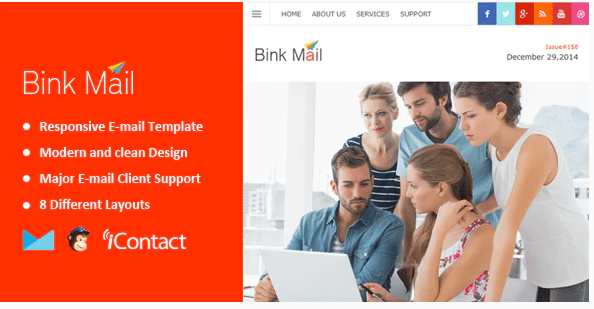
Bink Mail- Responsive E-mail Template + Themebuilder Access
SKU: 3604
One-time payment · lifetime access to this file
- Instant download after purchase
- 100% original, unmodified GPL file
- Free lifetime updates on request
- Secure Razorpay / PayPal checkout
Product details
- Type
- Theme
- Released
- July 2, 2020
About Bink Mail- Responsive E-mail Template + Themebuilder Access
Bink Mail is a responsive email template, not a WordPress plugin. The title mentions Themebuilder access, an online editor used to customise and export email templates, and the store files it under MailChimp, Newsletter and Email marketing. You use it to design newsletters and campaign emails, then send them from your email service.
The listing doesn't state the number of modules, the layouts or which email platforms it exports to. The package may hold only template files and a pointer to the builder, so read it first. It is from July 2020. Test sends in several email clients, since email HTML renders differently in each.
Requirements
- An email service to send campaigns
Key features
- Responsive email layout
- Designed to adapt to desktop and mobile email clients.
- Themebuilder access
- The title says it includes access to the online Themebuilder editor.
- MailChimp category
- Filed under MailChimp, so it is meant for campaign tools of that kind.
- Newsletter use
- Suited to newsletters and email marketing.
Is it right for you?
A good fit for
- Marketers who want a ready-made responsive newsletter design
- Agencies producing branded email campaigns for clients
Look elsewhere if
- Anyone expecting a plugin to install in WordPress
- Anyone who needs transactional emails sent from WordPress
How to install Bink Mail- Responsive E-mail Template + Themebuilder Access
Notes for this product
- The package may only provide template files or builder access details. Read the included instructions before looking for anything to activate in WordPress.
Setup: using Bink Mail- Responsive E-mail Template + Themebuilder Access
- Open the package. Read the included instructions to see how the template and Themebuilder access are provided.
- Pick a layout. Choose the template layout that matches your campaign.
- Customise it. Edit colours, text, images and links in the builder or the HTML.
- Export to your email tool. Export or paste the HTML into MailChimp or another email service.
- Send tests. Send test emails to different providers and check mobile display.
Alternatives to Bink Mail- Responsive E-mail Template + Themebuilder Access
| Product | Choose it if | Price |
|---|---|---|
| eKit Mail 80+ Modules – Unique Multipurpose Responsive Email set + Online Access | you want a larger multipurpose email set with more modules | $3.99 |
| Krit Mail – 40+ Modules + Online Access + Mailster + MailChimp | you plan to send through Mailster or MailChimp and want a template made for those | $3.99 |
Frequently asked questions
Is this a WordPress plugin?
No. Despite how the store lists it, it is an email template, so there is nothing to activate in WordPress.
What is Themebuilder access?
The title says it includes access to an online builder for customising the template. The listing doesn't explain further, so check the package.
Does it work with MailChimp?
It is filed under MailChimp. Confirm the export steps in the included instructions.
Categories: Marketing, Responsive, Email marketing, email, Camping, Newsletter, MailChimp, Business Service
Related products
 −95%
−95%Zenex – eCommerce WooCommerce Theme
 −93%
−93%Zarja – WordPress Blog Theme
 −77%
−77%Zakas – Fashion HTML Template
 −93%
−93%Yottis | Personal Creative Portfolio WordPress Theme + Store 1.0
 −93%
−93%YITH PayPal Payouts for WooCommerce 1.0.23
 −93%
−93%Yankee – Insurance & Consulting WordPress Theme 1.3
 −92%
−92%WPForms Form Abandonment Addon 1.9.0
 −85%
−85%