
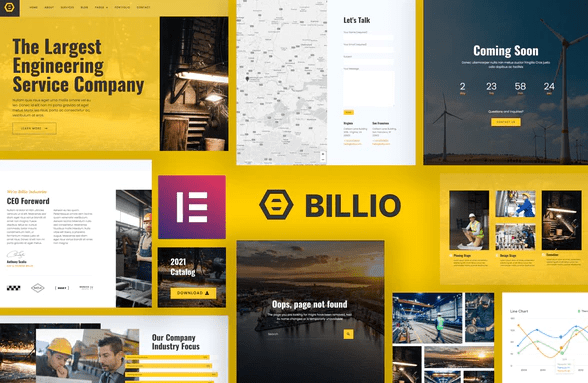
Billio – Engineering Service Template Kit
SKU: 899
One-time payment · lifetime access to this file
- Instant download after purchase
- 100% original, unmodified GPL file
- Free lifetime updates on request
- Secure Razorpay / PayPal checkout
Product details
- Type
- Theme
- Released
- September 12, 2020
About Billio – Engineering Service Template Kit
Billio is an Elementor template kit made for engineering service companies that need a site showing their profile, services and portfolio. It is a set of designs you import into Elementor, not a theme or a plugin by itself.
The listing says it works with the standard Elementor plugin, so Elementor Pro is not required. It lists 14 page and section templates, including header, footer, pricing, team and a style guide. The description also mentions another product name, Semeru, which looks like leftover text from a different kit, so check the package contents before you plan around it.
Requirements
- WordPress
- Elementor
Key features
- 14 page and section templates
- Includes home, about, services, portfolio, pricing, our team, blog, contact and more.
- Header and footer templates
- Header and footer designs are part of the kit, built in Elementor.
- Extra pages
- Also lists a single post template, a 404 page, a coming soon page and a style guide.
- Global style settings
- Styles are set through Elementor so sitewide changes can be made in one place.
- Form and hero animation
- The listing mentions a working form builder and an animated hero section.
Is it right for you?
A good fit for
- Engineering, construction and industrial service firms
- Elementor users who want finished page designs rather than blank pages
Look elsewhere if
- Sites that do not use Elementor
- Anyone who needs a complete theme, since a kit supplies page designs only
How to install Billio – Engineering Service Template Kit
- 1
Install Elementor
Template kits need the free Elementor plugin. Check the product details for kits that also need Elementor Pro or a specific add-on.
- 2
Download the file
Open My Account → Downloads and download the product. If the archive contains several zips (documentation, child theme, licensing files), you need the one named after the product.
- 3
Import the kit
Install the free Envato Elements or Template Kit – Import plugin, open Installed Kits → Upload Template Kit, and select the kit zip without unzipping it.
- 4
Install requirements, then import templates
Use the Install Requirements button to add any missing add-ons, then import the templates you want and assign them to pages.
Notes for this product
- A template kit needs a theme underneath. The listing does not name a recommended one; check the package documentation, and a light general-purpose theme is a common choice for kits.
Setup: using Billio – Engineering Service Template Kit
- Install Elementor. Install and activate Elementor on a site that already has a theme.
- Import the kit. Use the import method described in the package, which for most kits is the Elementor kit import or a template kit importer plugin.
- Build your pages from the templates. Create home, services, portfolio and contact pages from the imported templates.
- Set the header and footer. Apply the imported header and footer templates sitewide.
- Replace text, images and form settings. Swap in your own content, then test the contact form delivers to your email.
Common problems and fixes
Kit upload fails or shows as invalid
- Why it happens
- The kit was unzipped and re-zipped, or an inner file was uploaded.
- How to fix it
- Upload the original kit zip exactly as downloaded.
Imported templates have empty sections
- Why it happens
- A required add-on isn't installed.
- How to fix it
- Open the kit in Installed Kits and click Install Requirements, then re-import the template.
Images appear as grey placeholders
- Why it happens
- Kits often ship with placeholder images because the demo photos are licensed separately.
- How to fix it
- Replace them with your own images in the Elementor editor.
Alternatives to Billio – Engineering Service Template Kit
| Product | Choose it if | Price |
|---|---|---|
| Grade – Engineering & Industrial Template Kit | you want another engineering and industrial Elementor kit. | $3.99 |
| Subsco – Construction Elementor Template Kit | your business is construction rather than engineering services. | $3.99 |
Frequently asked questions
Do I need Elementor Pro?
The listing says no. It states the kit works with the standard Elementor plugin.
Is this a theme?
No. It is a template kit, a set of Elementor page designs you import into a site that already has a theme.
Why does the description mention Semeru?
It appears to be leftover text from another kit. Treat the template list above as the reliable part and check the package.
Does the contact form work?
The listing says the form builder has working submission. Test it after import and set the recipient address.
Categories: Elementor, Responsive, Elementor Template, Services, Architecture Elementor Template Kit
Related products
 −77%
−77%Zakas – Fashion HTML Template
 −93%
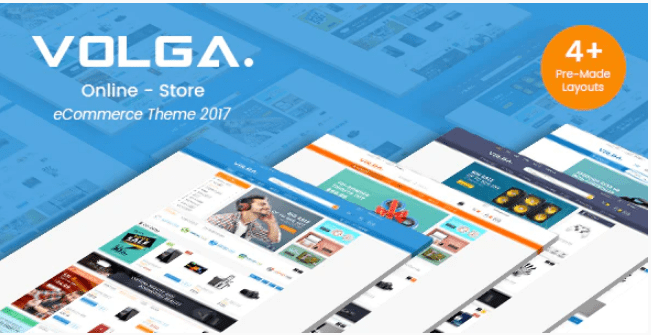
−93%Volga – MegaShop Responsive Prestashop 1.7 Theme
 −70%
−70%Undo Redo for WPBakery Page Builder 1.2.5
 −83%
−83%UberSlider Layer Slider WordPress Plugin 1.8.2.2
 −93%
−93%The Grid – Responsive WordPress Grid Plugin 2.7.3
 −90%
−90%Sofee | Cosmetic Skincare Shopify Theme
 −94%
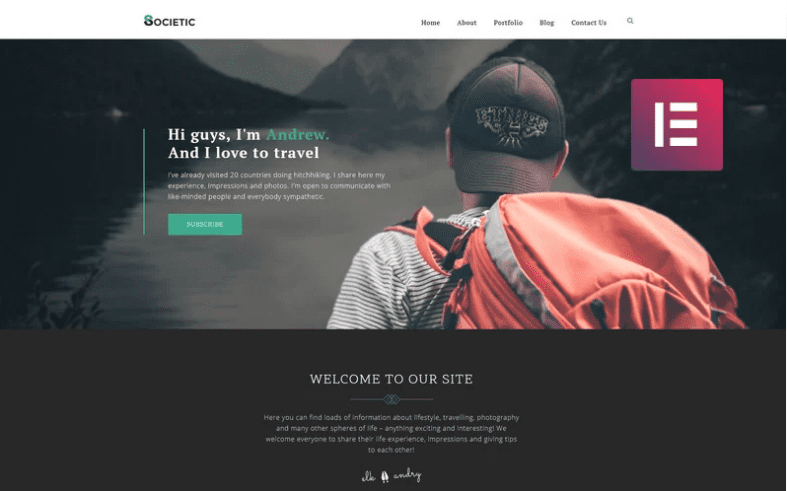
−94%Societic – Lifestyle Blog Multipurpose Modern Elementor WordPress Theme
 −92%
−92%