
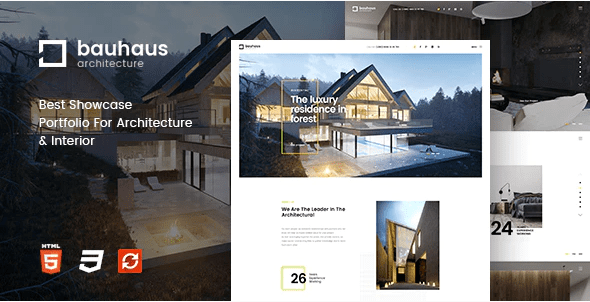
Bauhaus – Architecture & Interior Drupal 8 Theme
SKU: 7280
One-time payment · lifetime access to this file
- Instant download after purchase
- 100% original, unmodified GPL file
- Free lifetime updates on request
- Secure Razorpay / PayPal checkout
Product details
- Marketplace
- Themeforest
- Type
- Theme
- Released
- April 18, 2020
- License
- GPL
- Live demo
- View the developer's demo
About Bauhaus – Architecture & Interior Drupal 8 Theme
Bauhaus is a theme for Drupal 8, not for WordPress. It is filed under portfolio, Drupal and business service, and the name points to architecture and interior design studios that want to show projects and services on a Drupal site.
The listing says very little about the actual layouts, so check the documentation in the package for the page types, regions and any modules it expects. The file on record dates from April 2020, so test it on a staging copy of your Drupal site before you rely on it, and make sure your Drupal core version matches what the package documents.
Requirements
- A Drupal 8 site
Key features
- Drupal 8 theme
- Built for Drupal 8 sites, installed through Drupal rather than WordPress.
- Architecture and interior focus
- The name and title point to studios, interior designers and architecture firms.
- Portfolio category
- Filed under portfolio and business service, so it suits showing projects and company pages.
- Configurable look
- The listing says the appearance can be configured, but does not state which options exist.
Is it right for you?
A good fit for
- Architecture or interior design studios already running Drupal 8
- Developers who want a themed starting point for a project portfolio site
Look elsewhere if
- WordPress sites, because this is a Drupal theme and will not install there
- Sites on newer Drupal major versions unless the documentation in the package says it works there
How to install Bauhaus – Architecture & Interior Drupal 8 Theme
Notes for this product
- The listing does not name required modules or demo content. Read the documentation in the package before installing, and enable any modules it lists.
Setup: using Bauhaus – Architecture & Interior Drupal 8 Theme
- Read the package documentation. Check which Drupal core version and modules the theme expects.
- Install and enable the theme in Drupal. Add the theme through the Drupal admin appearance screen, then set it as the default theme.
- Configure regions and blocks. Place menus and blocks in the theme's regions, following the documentation.
- Build portfolio and service pages. Create your content types and pages, then compare them with the theme's intended layout.
Alternatives to Bauhaus – Architecture & Interior Drupal 8 Theme
| Product | Choose it if | Price |
|---|---|---|
| Woodbury Agency – Drupal 8 Business Portfolio Theme | you want a Drupal 8 business and portfolio theme with an agency look. | $4.25 |
| Killeen – Portfolio Showcase Drupal Theme | your site is mainly a portfolio showcase on Drupal. | $4.25 |
Frequently asked questions
Is Bauhaus a WordPress theme?
No. It is a Drupal 8 theme. It cannot be uploaded to WordPress.
Does it include demo content?
The listing doesn't state this. Check the documentation in the package.
Will it work on the current Drupal version?
The file on record dates from April 2020 and targets Drupal 8. Test on a staging copy, and check the documentation for the core versions it names.
Categories: Portfolio, Drupal, Business Service
Related products
 −95%
−95%Zenex – eCommerce WooCommerce Theme
 −93%
−93%Zarja – WordPress Blog Theme
 −93%
−93%Yottis | Personal Creative Portfolio WordPress Theme + Store 1.0
 −93%
−93%YITH PayPal Payouts for WooCommerce 1.0.23
 −93%
−93%Yankee – Insurance & Consulting WordPress Theme 1.3
 −92%
−92%WPForms Form Abandonment Addon 1.9.0
 −93%
−93%WooCommerce Rich Snippets – Local & Business SEO 2.4.0
 −92%
−92%