
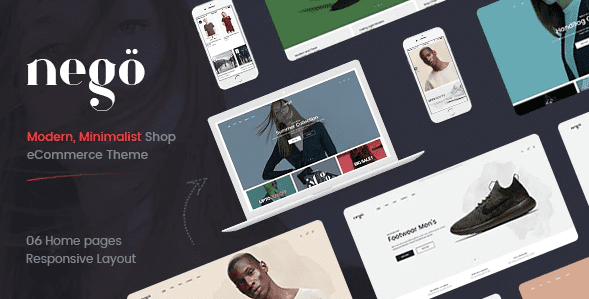
Nego – Minimalist Responsive Magento Theme
SKU: 7221
One-time payment · lifetime access to this file
- Instant download after purchase
- 100% original, unmodified GPL file
- Free lifetime updates on request
- Secure Razorpay / PayPal checkout
Product details
- Marketplace
- Themeforest
- Type
- Theme
- Released
- April 20, 2020
- License
- GPL
- Live demo
- View the developer's demo
About Nego – Minimalist Responsive Magento Theme
Nego is a Magento storefront theme with a minimalist look, originally sold on ThemeForest. In the store it is filed under furniture, fashion and beauty, and technology categories, so the design suits shops with a modest catalogue and plenty of white space around product photos.
The listing doesn't state which Magento release it targets, which matters a great deal because Magento 1 and Magento 2 themes are not interchangeable. The file on record dates from April 2020. Check the documentation in the package, and test the theme on a staging copy of your store before it goes near live orders.
Requirements
- A Magento store (check the documentation in the package for the supported release)
Key features
- Minimalist storefront design
- A clean layout meant to keep attention on products rather than decoration.
- Responsive layout
- Listed as responsive, so pages adapt to tablet and phone screens.
- Cart and checkout styling
- The theme styles Magento's shopping cart, which is the part of a store shoppers use most.
- Suited to several niches
- Filed under furniture, fashion and beauty, and technology.
- Also sold for other platforms
- The same Nego design appears in this catalogue for OpenCart 3 and PrestaShop.
Is it right for you?
A good fit for
- Magento shops that want a plain, uncluttered look for furniture, fashion or gadgets
- Developers who need a starting design for a client store on Magento
Look elsewhere if
- Stores on a Magento release the theme wasn't built for; the listing doesn't say which one it targets
- Shops on OpenCart, PrestaShop or WooCommerce, which need a theme for their own platform
How to install Nego – Minimalist Responsive Magento Theme
- 1
Download the file
Open My Account → Downloads and download the product. If the archive contains several zips (documentation, child theme, licensing files), you need the one named after the product.
- 2
Check the platform version
Compare the version the theme was built for (see the product details or the theme's docs) with your store's version before installing.
- 3
Install with your platform's theme installer
PrestaShop: Design → Theme & Logo → Add new theme. OpenCart: Extensions → Installer. Joomla: System → Install → Extensions. Magento 2 themes are usually copied into app/design and enabled from the command line, as the theme's docs describe.
Notes for this product
- Confirm the Magento version the theme was built for before installing. Magento themes often come with extra modules or sample data; the listing doesn't say whether this one does, so read the package documentation first.
Setup: using Nego – Minimalist Responsive Magento Theme
- Back up and use a staging copy. Back up your files and database, then install the theme on a copy of the store first.
- Read the package documentation. Confirm the supported Magento version and any extra modules or sample data the package includes.
- Install and apply the theme. Follow the documented steps, then assign the theme to your store view in the Magento admin.
- Add your logo, categories and products. Replace the placeholders so the home page and category pages show your own catalogue.
- Test the buying path. Place a test order on a phone and a desktop, from product page through to checkout.
Common problems and fixes
The theme installs but the layout is broken or blank
- Why it happens
- Magento themes are tied to a platform release, and a theme built for another one will not render correctly.
- How to fix it
- Check the supported Magento version in the package documentation and run it on a matching staging copy.
The theme upload is rejected
- Why it happens
- The file exceeds the server's upload limit, or it's a bundle rather than the theme package.
- How to fix it
- Upload the inner theme package, or raise the limit / upload via FTP as the theme docs describe.
Changes don't appear on the storefront
- Why it happens
- The platform's cache is serving old templates.
- How to fix it
- Clear the cache from the platform's performance or cache settings.
Alternatives to Nego – Minimalist Responsive Magento Theme
| Product | Choose it if | Price |
|---|---|---|
| Nego – Minimalist Responsive Opencart 3 Theme | your store runs on OpenCart 3 and you like the same Nego design. | $4.59 |
| Nego – Minimalist Responsive Prestashop Theme | your store runs on PrestaShop and you like the same Nego design. | $4.25 |
Frequently asked questions
Is this for Magento 1 or Magento 2?
The listing doesn't state it. Check the documentation in the package before installing, because the two are not interchangeable.
Can I use it on OpenCart or PrestaShop?
No. This one is for Magento. The Nego design is listed separately for OpenCart 3 and PrestaShop.
Does it include demo content?
The listing doesn't say. A theme's files carry the design, so expect to add your own products, images and banners.
Will it run on a current Magento install?
The file dates from April 2020, so test it on a staging copy of your current store before using it live.
Categories: Furniture, Magento, Fashion Beauty, Technology App
Related products
 −94%
−94%Zyra – The Clean, Minimal Shopify Theme
 −77%
−77%Zakas – Fashion HTML Template
 −93%
−93%Volga – MegaShop Responsive Prestashop 1.7 Theme
 −86%
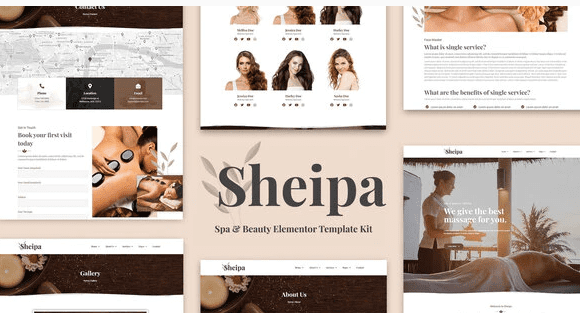
−86%Sheipa – Spa & Beauty Elementor Template Kit
 −92%
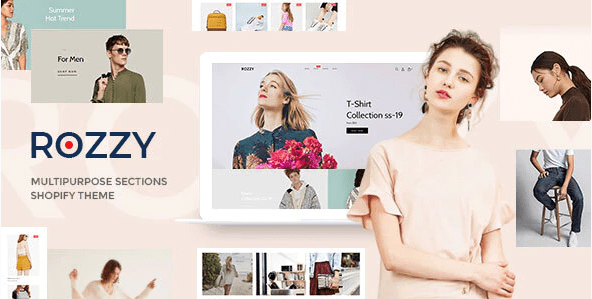
−92%Rozzy – Multipurpose Shopify Sections Theme
 −90%
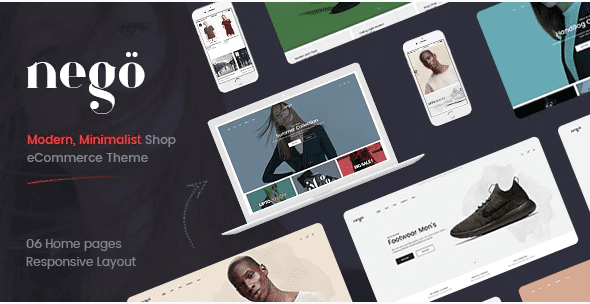
−90%Nego – Minimalist Responsive Opencart 3 Theme
 −92%
−92%Nautica – Multi Store Responsive Shopify Theme
 −92%
−92%