

MegaStore – Super Market eCommerce Shopify Theme
SKU: 1429
One-time payment · lifetime access to this file
- Instant download after purchase
- 100% original, unmodified GPL file
- Free lifetime updates on request
- Secure Razorpay / PayPal checkout
Product details
- Type
- Theme
- Released
- June 25, 2020
About MegaStore – Super Market eCommerce Shopify Theme
MegaStore is a theme for Shopify stores, built around a supermarket-style catalogue. The store files it under E-commerce, Electronic, Fashion Beauty and Food Restaurants, which suggests it is meant for shops with many product types rather than one hero product.
The listing's description is generic. It doesn't state the section list, the number of home layouts or which Shopify features the theme supports. The file on record dates from June 2020. Open the theme in a Shopify test store and check the theme editor sections before you move a live shop onto it.
Requirements
- A Shopify store
Key features
- Shopify theme
- Made for Shopify and installed through the Shopify admin.
- Supermarket store style
- Named for large multi-category stores such as supermarkets.
- Multi-category fit
- Filed under electronics, fashion and beauty, and food, so it covers several product types.
- eCommerce focus
- Categorised as an ecommerce theme, not a content or blog theme.
Is it right for you?
A good fit for
- A grocery or general store with many product categories.
- A merchant opening a Shopify store who wants a ready-made big-catalogue layout.
Look elsewhere if
- Single-product or very small stores that need a minimal layout.
- Stores on WooCommerce or PrestaShop; this is a Shopify theme.
How to install MegaStore – Super Market eCommerce Shopify Theme
- 1
Download the file
Open My Account → Downloads and download the product. If the archive contains several zips (documentation, child theme, licensing files), you need the one named after the product.
- 2
Upload the theme zip
In Shopify admin go to Online Store → Themes → Add theme → Upload zip file. The correct zip has folders such as layout, sections and templates at its top level.
- 3
Customize, then publish
Click Customize to set up sections and colours. The theme stays unpublished until you click Publish, so your live store is unaffected while you work.
Setup: using MegaStore – Super Market eCommerce Shopify Theme
- Upload the theme. In Shopify admin, go to Online Store, Themes, and upload the zip. It stays unpublished until you publish it.
- Open the theme editor. Customise the theme to see which sections and settings it includes.
- Add collections and products. Create collections for your categories so menus and home sections have something to show.
- Preview before publishing. Check the cart, checkout path and mobile layout, then publish.
Common problems and fixes
Shopify says the zip isn't a valid theme
- Why it happens
- The download package or a re-zipped parent folder was uploaded, so layout/theme.liquid isn't at the top level.
- How to fix it
- Unzip the package once and upload the inner theme zip as it is.
The store looks empty compared with the demo
- Why it happens
- Theme files contain layout and settings, not the demo's products and images.
- How to fix it
- Add your products and collections, then assign them to sections in Customize.
Alternatives to MegaStore – Super Market eCommerce Shopify Theme
| Product | Choose it if | Price |
|---|---|---|
| KuteShop – Super Market Responsive Shopify Theme | you want another Shopify theme aimed at supermarkets to compare layouts. | $4.25 |
| BW Store – Multipurpose Responsive Shopify Theme | you want a multipurpose Shopify theme rather than a supermarket one. | $4.25 |
Frequently asked questions
Does it work on WooCommerce?
No. It is a Shopify theme.
What home layouts are included?
The listing doesn't state them. Check the theme editor and documentation.
Is it only for supermarkets?
The name says supermarket, but categories include fashion, beauty and electronics, so other multi-category shops may fit.
Is it up to date with Shopify's newer features?
The file on record dates from June 2020. Test it in a development store.
Categories: Marketing, E-commerce plugin, ecommerce theme, Electronic, Fashion Beauty, Food Restaurants
Related products
 −94%
−94%Zyra – The Clean, Minimal Shopify Theme
 −95%
−95%Zenex – eCommerce WooCommerce Theme
 −77%
−77%Zakas – Fashion HTML Template
 −93%
−93%YITH WooCommerce Order Tracking Premium 2.14.0
 −93%
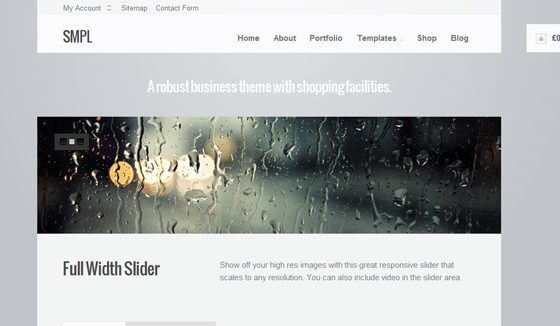
−93%WooThemes SMPL Premium Theme 1.4.5
 −93%
−93%WooThemes Live Wire Premium Theme 2.5.2
 −88%
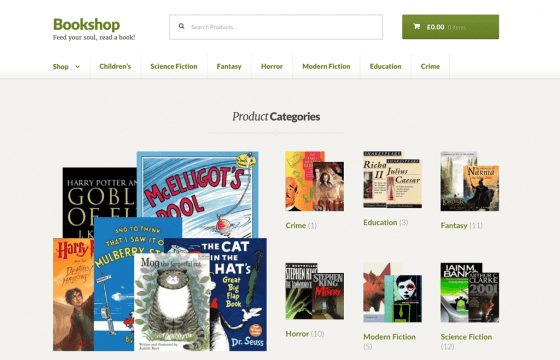
−88%WooThemes Bookshop Storefront WooCommerce Theme 1.0.20
 −85%
−85%