
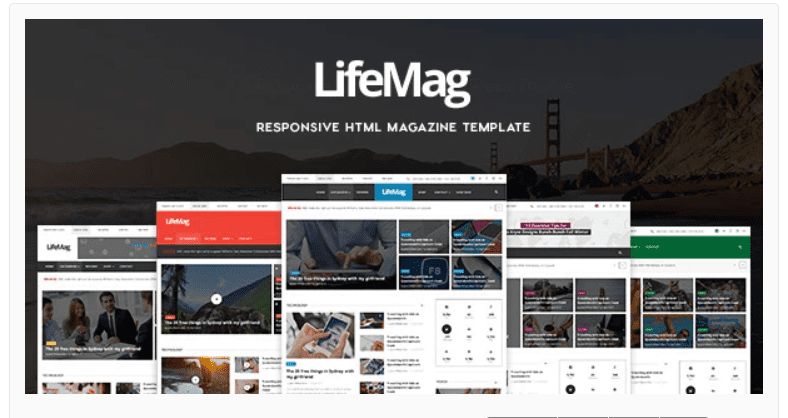
LifeMag – Responsive HTML Magazine Template
SKU: 2029
One-time payment · lifetime access to this file
- Instant download after purchase
- 100% original, unmodified GPL file
- Free lifetime updates on request
- Secure Razorpay / PayPal checkout
Product details
- Type
- Theme
- Released
- June 17, 2020
About LifeMag – Responsive HTML Magazine Template
LifeMag is an HTML5 template for magazine and news-style websites. It has a flat, minimal design and is responsive, and the store files it under magazine, newspaper, fashion and beauty, and technology categories, so it can carry lifestyle, fashion or tech content as well as general news.
Because it's a static template, there is no CMS, database or admin area. You open the HTML files in a code editor, replace the headlines, images and text with your own, and upload the result to any web host. That keeps a site fast, but each new article means editing a page by hand.
A static magazine template suits a small editorial site with a handful of pages. If you plan to publish new stories regularly from a dashboard, a WordPress magazine theme is a better fit, because it adds posts, categories and search without code.
Key features
- Magazine layout
- A layout built for articles, with featured stories and sections in the style of a magazine.
- Responsive design
- Pages adapt to desktop, tablet and phone screens.
- Flat, minimal style
- A clean look that keeps the focus on headlines and images.
- Suits several topics
- Filed under newspaper, fashion and beauty, and technology categories.
- Plain HTML5 and CSS
- Edit pages in any code editor, with no CMS or database to run.
Is it right for you?
A good fit for
- Small magazine, news or lifestyle sites with a fixed set of pages
- Designers who want a clean editorial starting point to adapt
- Developers who plan to connect the template to their own back end
Look elsewhere if
- Sites that will publish new stories often, where a dashboard-based CMS saves time
- Anyone who needs search, comments or user accounts built in
How to install LifeMag – Responsive HTML Magazine Template
- 1
Download the file
Open My Account → Downloads and download the product. If the archive contains several zips (documentation, child theme, licensing files), you need the one named after the product.
- 2
Preview and edit
Unzip the template and open the HTML files in a code editor. Text lives in the .html files; colours and fonts are in the CSS.
- 3
Upload to your host
Upload the template folder's contents to your site's public folder (often public_html) with your host's file manager or SFTP, keeping the folder structure intact.
Setup: using LifeMag – Responsive HTML Magazine Template
- Open the template in an editor. Unzip the download and open the folder in a code editor such as VS Code.
- Preview it locally. Open the main HTML page in a browser, or use a local server so every script behaves as it will online.
- Replace the content. Swap the placeholder headlines, text and images for your own, keeping file names and folders intact.
- Adjust colours and fonts. Change the values in the CSS files to match your brand.
- Test on phones and upload. Check each page on a real phone, then upload the files to your host.
Common problems and fixes
The contact form doesn't send
- Why it happens
- Static templates need a server-side script or a form service to deliver mail.
- How to fix it
- Configure the template's mail script with your address on a host that supports PHP mail or SMTP, or connect a form service.
Sliders, fonts or maps don't work when opening index.html directly
- Why it happens
- Browsers block some scripts on file:// pages.
- How to fix it
- Preview through a local server (for example VS Code Live Server) or after uploading to your host.
Alternatives to LifeMag – Responsive HTML Magazine Template
| Product | Choose it if | Price |
|---|---|---|
| MINIMAG – Magazine & Blog HTML Template | you want a magazine and blog layout to compare. | $3.99 |
| Neotech | Tech Magazine HTML Template | your magazine covers technology and you want a design aimed at it. | $3.99 |
| Chronicle – Premium News and Magazine HTML5 Template | you want a fuller news and magazine HTML5 template. | $3.99 |
Frequently asked questions
Is LifeMag a WordPress theme?
No. It is a static HTML5 template. You edit the files and upload them to a web host.
Can I add new articles from a dashboard?
No. A static template has no dashboard, so each article is a page you edit by hand.
Is it responsive?
Yes, it is listed as responsive. Check it on a real phone before launch.
Do I need to know HTML?
Basic HTML and CSS are enough. You'll be replacing text and images and changing colours in the stylesheet.
Categories: SEO, Magazine, HTML5, Flat, minimal, Newspaper, Fashion Beauty, Technology App
Related products
 −94%
−94%Zyra – The Clean, Minimal Shopify Theme
 −77%
−77%Zakas – Fashion HTML Template
 −93%
−93%Volga – MegaShop Responsive Prestashop 1.7 Theme
 −93%
−93%Vmagazine – Blog, NewsPaper, Magazine WordPress Themes 1.1.6
 −90%
−90%Sofee | Cosmetic Skincare Shopify Theme
 −86%
−86%Sheipa – Spa & Beauty Elementor Template Kit
 −81%
−81%Satisfyc – Satisfaction Survey Form Wizard
 −92%
−92%