

HashBar Pro – WordPress Notification Bar
Version 1.1.6
SKU: 6508
One-time payment · lifetime access to this file
- Instant download after purchase
- 100% original, unmodified GPL file
- Free lifetime updates on request
- Secure Razorpay / PayPal checkout
Product details
- Version on file
- 1.1.6
- Marketplace
- Themeforest
- Type
- Plugin
- Released
- September 30, 2018
- License
- GPL
- Live demo
- View the developer's demo
About HashBar Pro – WordPress Notification Bar 1.1.6
HashBar Pro adds notification, alert and offer bars to a WordPress site. According to the listing, you can create unlimited bars to tell visitors about promotions, show offer text with buttons, or show an email subscription form in the bar.
It suits announcements: a sale, free shipping, a new product, or a signup prompt. The bar sits above the page content so it is seen on arrival. The file on record is version 1.1.6, from September 2018 and originally sold on Themeforest, so test it on a staging site with your current WordPress and PHP versions before use.
Where the bar appears, how it is styled and where subscribers are stored are not described in the listing. Check the documentation in the package for those.
Key features
- Unlimited notification bars
- The listing says you can create as many bars as you need.
- Email subscription form
- A bar can show a signup form to collect subscribers.
- Offer text and buttons
- Show promotion wording with a button that links to an offer.
- Alert and notification use
- Can be used for announcements and alerts as well as sales.
- Marketing categories
- Filed under marketing, customer service and email marketing.
Is it right for you?
A good fit for
- Shops announcing sales or shipping offers site-wide
- Blogs and businesses that want an email signup bar without a larger popup tool
Look elsewhere if
- Sites that need full popup campaigns with targeting rules, which the listing does not describe
- Anyone needing a confirmed list of email service integrations, which the listing does not give
How to install HashBar Pro – WordPress Notification Bar 1.1.6
- 1
Download the file
Open My Account → Downloads and download the product. If the archive contains several zips (documentation, child theme, licensing files), you need the one named after the product.
- 2
Upload it to WordPress
In your dashboard go to Plugins → Add New Plugin → Upload Plugin and choose the zip.
- 3
Install and activate
Click Install Now, then Activate. If an older or free copy is already installed, WordPress offers to replace it with the uploaded version.
Notes for this product
- The listing does not say where subscribers are stored or which email service it connects to. Check the documentation in the package before you collect signups.
Setup: using HashBar Pro – WordPress Notification Bar 1.1.6
- Test on a staging site. The file dates from September 2018, so try it with your current WordPress and PHP first.
- Create a bar. Open the plugin's menu in the WordPress admin and add a new notification bar.
- Write the message and button. Enter the offer text and set the button label and link.
- Add the signup form if wanted. Turn on the email subscription option and test a submission.
- Check the live site. View the bar on desktop and phone to make sure it does not cover your header or menu.
Common problems and fixes
The bar overlaps the site header or menu
- Why it happens
- A fixed or sticky header in the theme sits in the same spot as the bar.
- How to fix it
- Change the bar's position setting, or add a little top spacing to the header with custom CSS.
The bar does not appear after you publish it
- Why it happens
- A caching plugin is serving an older copy of the page.
- How to fix it
- Clear the page cache and any CDN cache, then reload.
“The link you followed has expired.” when uploading
- Why it happens
- The zip is larger than your server's PHP upload limit (upload_max_filesize / post_max_size).
- How to fix it
- Raise the upload limit in your hosting control panel, or unzip the file and upload the folder to wp-content/plugins with your host's file manager or SFTP.
“The package could not be installed. No valid plugins were found.”
- Why it happens
- The uploaded zip is a bundle (or a theme), not the plugin itself.
- How to fix it
- Unzip the download once and upload the inner zip named after the plugin.
“Plugin could not be activated because it triggered a fatal error.”
- Why it happens
- Usually a PHP version older than the plugin needs, or a second copy of the same plugin (for example the free version) still active.
- How to fix it
- Check your PHP version under Tools → Site Health → Info, deactivate any other copy of the plugin, and enable WP_DEBUG_LOG to see the exact error.
Licence or “updates unavailable” notices
- Why it happens
- The developer's licence key isn't included. Features that call the developer's servers (template libraries, cloud APIs, automatic updates) need it.
- How to fix it
- Everything that runs locally works without it. For a newer file, use Request an update from your account.
Alternatives to HashBar Pro – WordPress Notification Bar 1.1.6
| Product | Choose it if | Price |
|---|---|---|
| Top Sliding Bar – WordPress Widgets | you want a top bar that slides in and holds widgets rather than offer text. | $3.99 |
| XPromoter – Top Bar Switcher Responsive WordPress Plugin 1.3.3 | you want a top bar that switches between several promotional messages. | $4.65 |
Frequently asked questions
Can it collect email addresses?
Yes, the listing says a bar can show an email subscription form. Check the documentation for where the addresses go.
Can I run several bars?
The listing says you can create unlimited notification bars.
Does it work with current WordPress?
The file on record is version 1.1.6 from September 2018, so test it on a staging site first.
Is the bar visible on mobile?
The listing does not say. Test it on a phone before going live.
Categories: Marketing, Customize, Customer Service, Email marketing, Newsletter
Related products
 −85%
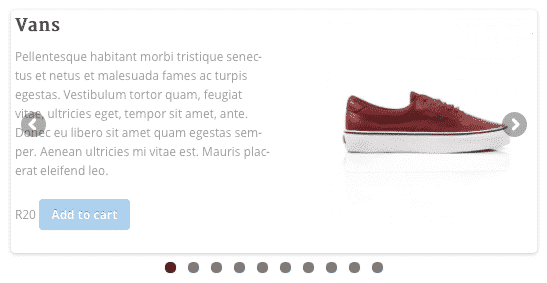
WooSlider Products Slideshow 1.0.23
 −93%
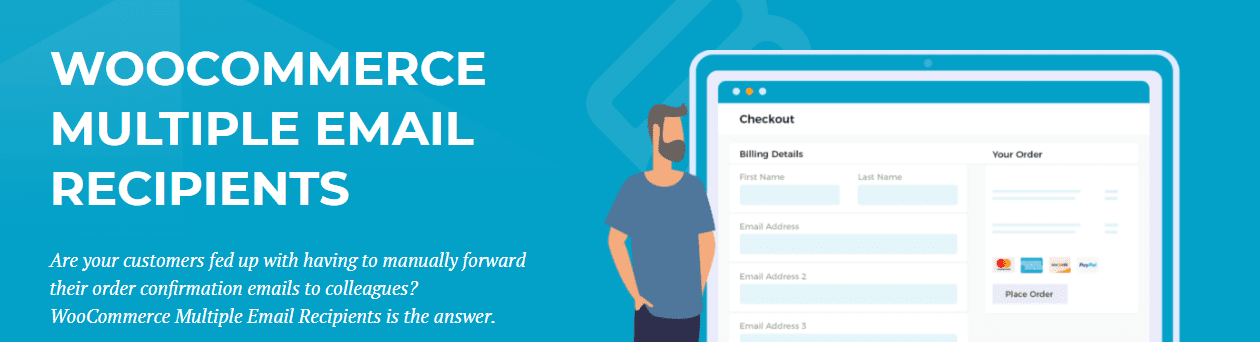
WooCommerce Multiple Email Recipients (By Barn2 Media) 1.2
 −93%
Tesla Themes Enterprise WordPress Theme 1.0.13
 −81%
Satisfyc – Satisfaction Survey Form Wizard
 −80%
Purple – Notification & Transactional Email Templates
 −67%
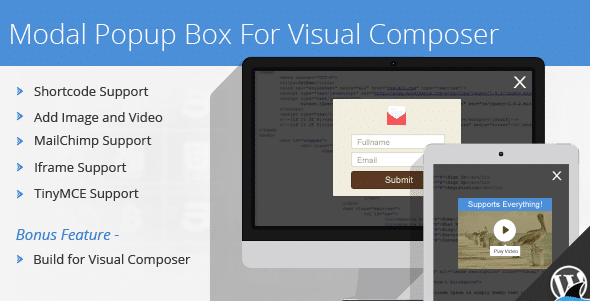
Modal Popup Box For Visual Composer 1.4.14
 −78%
Kuponhub | Affiliate Coupons and Discounts
 −79%