
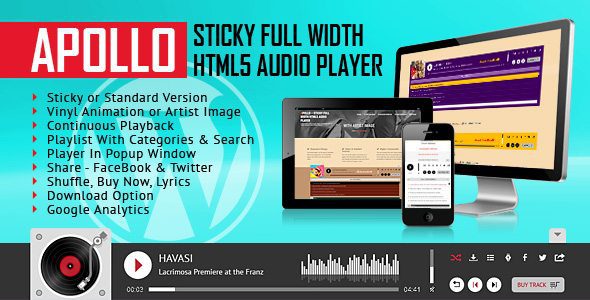
Apollo Sticky Full Width HTML5 Audio Player
Version 3.4.0
SKU: 8861
One-time payment · lifetime access to this file
- Instant download after purchase
- 100% original, unmodified GPL file
- Free lifetime updates on request
- Secure Razorpay / PayPal checkout
Product details
- Version on file
- 3.4.0
- Type
- plugin
- Released
- 01-10-2021
- File size
- 2.30 MB
- License
- GPL
About Apollo Sticky Full Width HTML5 Audio Player 3.4.0
Apollo is a sticky, full-width HTML5 audio player. The listing files it only under the audio player category and gives no description, so what we can say comes from the name: a player bar that stays fixed to the page while visitors move around, built with web files rather than a WordPress plugin.
The file on record is version 3.4.0, dated 2021, and about 2.30 MB. The listing doesn't state which skins, playlist formats, streaming sources or colour options it includes. Read the documentation in the package first, then test it in your target browsers before you add it to a live site.
Key features
- Sticky player bar
- Named as a sticky player, so the controls are meant to stay on screen while the page scrolls.
- Full-width layout
- Named as full width, so the bar is designed to span the page.
- HTML5 audio
- Plays audio through the browser's own audio support, so it needs no Flash.
- Static files
- Supplied as a static HTML template, so you place the files on your own pages.
Is it right for you?
A good fit for
- Music, podcast or radio sites that want a player that stays visible on every page
- Developers who are comfortable adding scripts and styles to an existing HTML page
Look elsewhere if
- WordPress users who want a plugin with a settings screen, since this is a set of static files
- Buyers who need a specific feature such as radio streaming or ads, because the listing doesn't mention it
How to install Apollo Sticky Full Width HTML5 Audio Player 3.4.0
- 1
Download the file
Open My Account → Downloads and download the product. If the archive contains several zips (documentation, child theme, licensing files), you need the one named after the product.
- 2
Preview and edit
Unzip the template and open the HTML files in a code editor. Text lives in the .html files; colours and fonts are in the CSS.
- 3
Upload to your host
Upload the template folder's contents to your site's public folder (often public_html) with your host's file manager or SFTP, keeping the folder structure intact.
Notes for this product
- The listing doesn't say how the player is added to a page. Follow the documentation in the package, and keep the audio files and the player's script and style files in the folders it expects.
Setup: using Apollo Sticky Full Width HTML5 Audio Player 3.4.0
- Read the included documentation. Look for the list of options, the playlist format and the code to paste into a page.
- Open the demo page. Run it from a local web server to see the intended behaviour before changing anything.
- Add the player to one of your pages. Copy the required script, style and markup into a test page on your site.
- Point it at your own audio files. Replace the sample tracks with your own files and check that each one plays.
Common problems and fixes
The player appears but a track doesn't play
- Why it happens
- The audio path is wrong, or the file is in a format the browser can't play.
- How to fix it
- Check the path from the page to the file, and use MP3 files if you are unsure.
Music doesn't start by itself
- Why it happens
- Browsers block autoplay with sound until the visitor interacts with the page.
- How to fix it
- Let the visitor press play, rather than relying on autoplay.
The contact form doesn't send
- Why it happens
- Static templates need a server-side script or a form service to deliver mail.
- How to fix it
- Configure the template's mail script with your address on a host that supports PHP mail or SMTP, or connect a form service.
Sliders, fonts or maps don't work when opening index.html directly
- Why it happens
- Browsers block some scripts on file:// pages.
- How to fix it
- Preview through a local server (for example VS Code Live Server) or after uploading to your host.
Frequently asked questions
Is this a WordPress plugin?
The listing describes it as a static HTML template, not a plugin. To use it on WordPress you would add its files to your theme or a page yourself.
Which audio formats and playlist options does it support?
The listing doesn't state this. Check the documentation in the package.
Does it stream radio?
The listing doesn't say. It is described only as a sticky, full-width HTML5 audio player.
Will it work in current browsers?
The file on record dates from 2021. Test it in the browsers you support, on desktop and phone, before you publish.
Categories: audio player
Related products
 −83%
Sticky Full Width Radio Player WordPress Plugin 3.2.1
 −73%
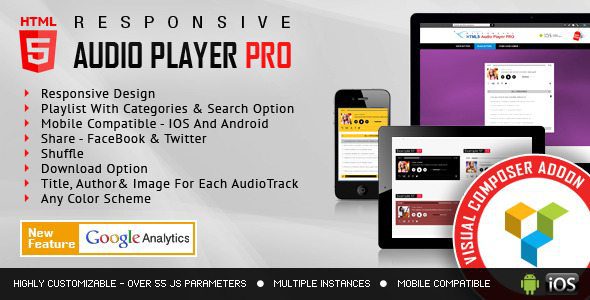
Visual Composer Addon – HTML5 Audio Player PRO 2.0
 −91%
MegaPhone Audio Podcast Wordpress Theme | Podcast Theme
 −96%
iPhone X – Apple Store Shopify Theme
 −96%
Drone Shop Shopify Theme
 −80%
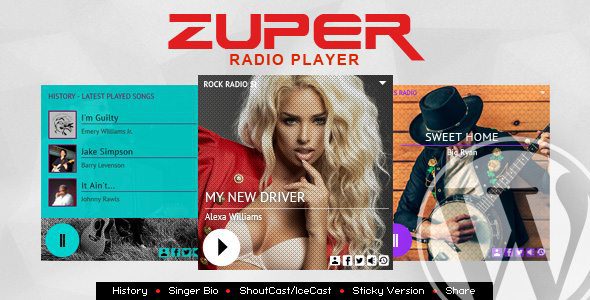
Zuper – Shoutcast and Icecast Radio Player 3.2
 −80%
Visual Composer Addon HTML5 Radio Player 2.4
 −79%